
In easy.jobs, each plan has a limit of applications you can receive for all your active job posts. When your current plan exceeds its limits, it restricts new candidates from applying. You can easily manage candidate limits by upgrading to the next or higher plan tier. This will allow new candidates to apply directly and will also let you invite candidates who were interested but could not apply before.
This guide will walk you through the steps, from checking your current limit to completing the upgrade.
How to Manage Candidate Limit in easy.jobs when it reaches Max? #
When your company reaches its application limit in easy.jobs, you can increase it by upgrading your plan. Follow the steps below to upgrade your plan and accept more applicants:
Step 1: Check Your Limit #
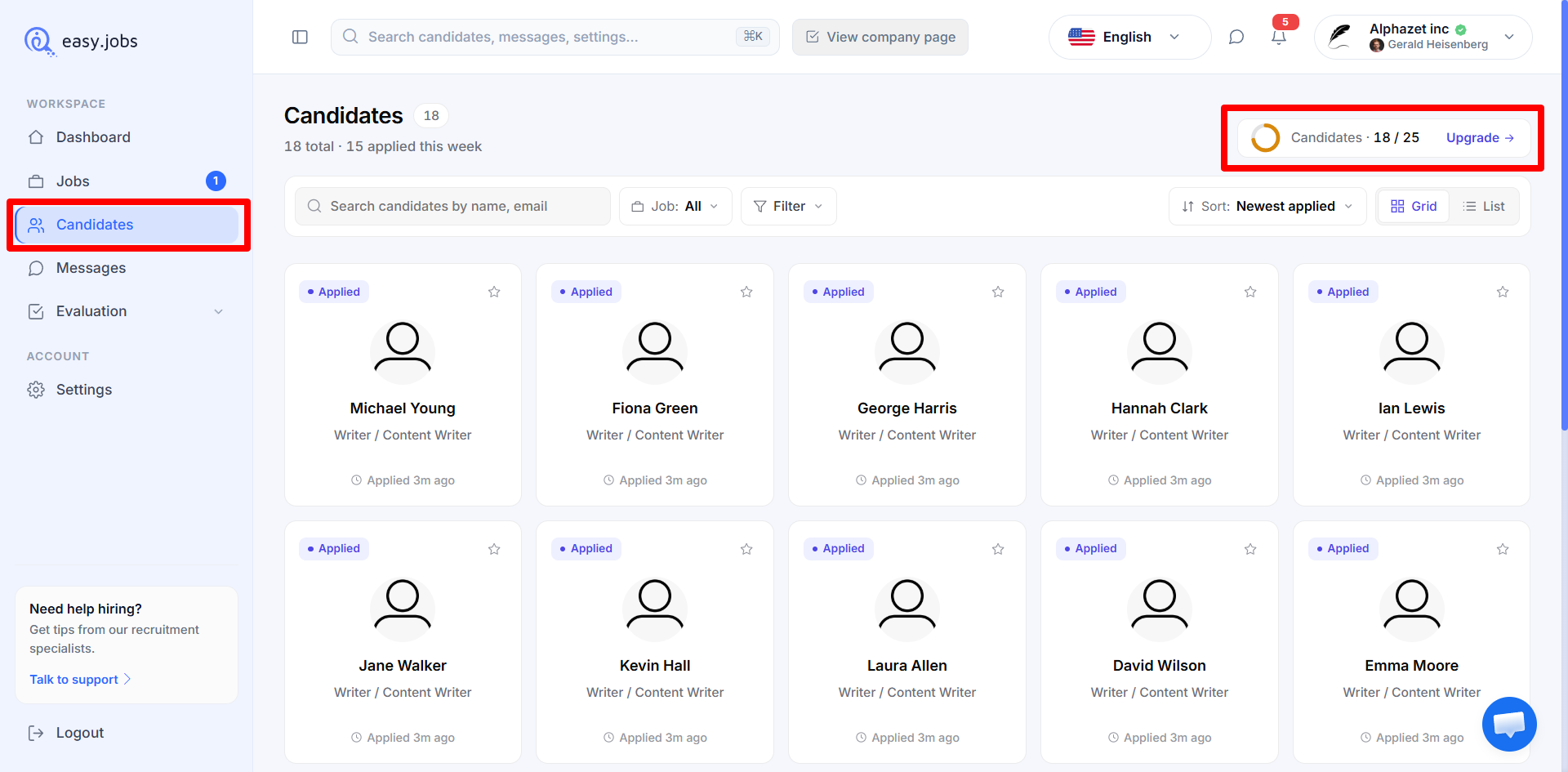
In your easy.jobs dashboard, go to the ‘Candidate Menu’ tab to check your plan’s candidate limit. Here, you will see a meter showing the limit of candidates you have reached according to your plan.
Upon reaching your current plan’s limit of candidates, you will receive a notice prompting you to upgrade. Also, an email will be sent to your company profile email address.
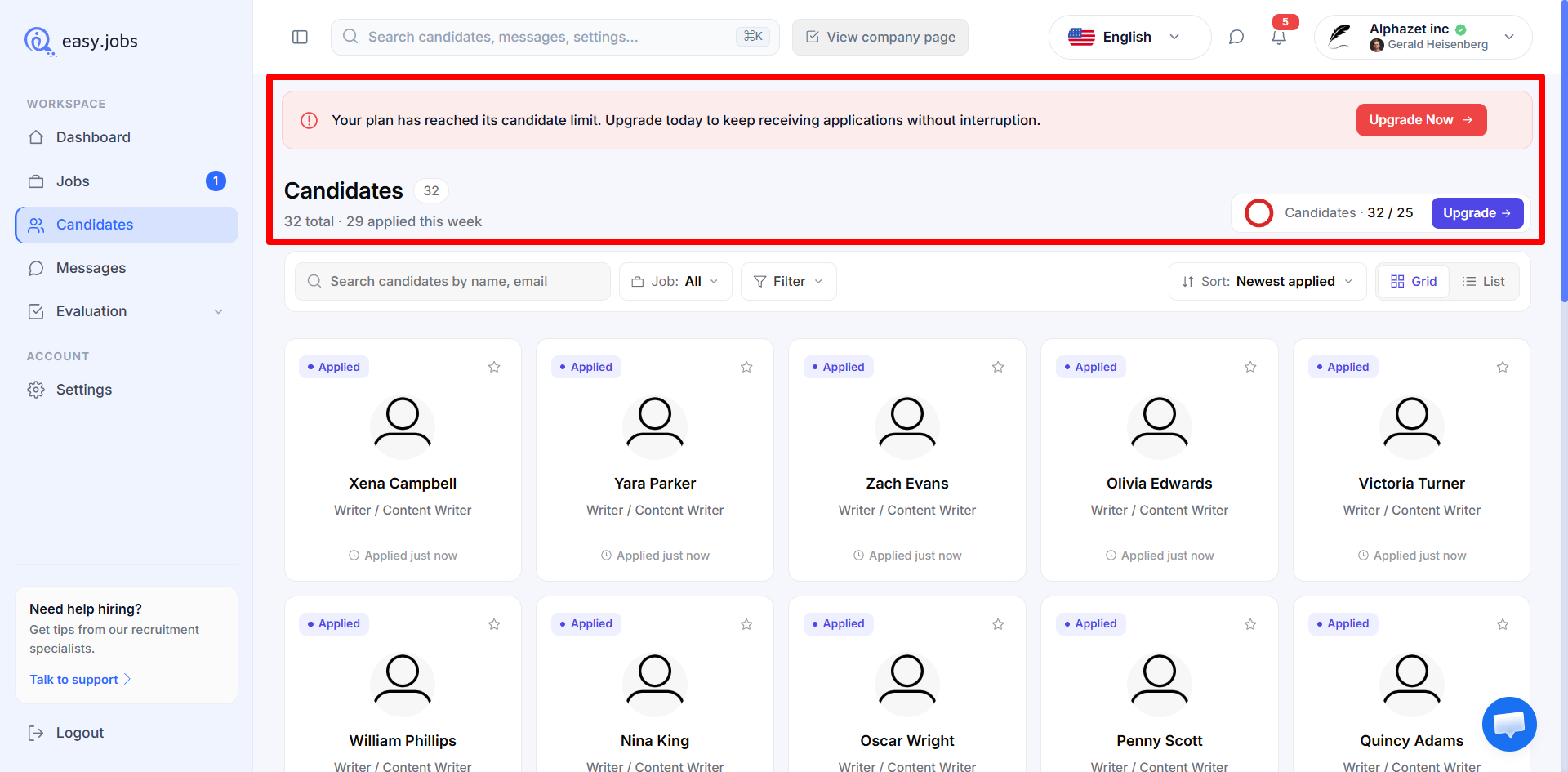
Additionally, you will receive notifications directly in your company profile email regarding your limits of candidates in your current plan, ensuring you never miss an update.

Step 2: Upgrade easy.jobs Plan to Increase Candidate Limit #
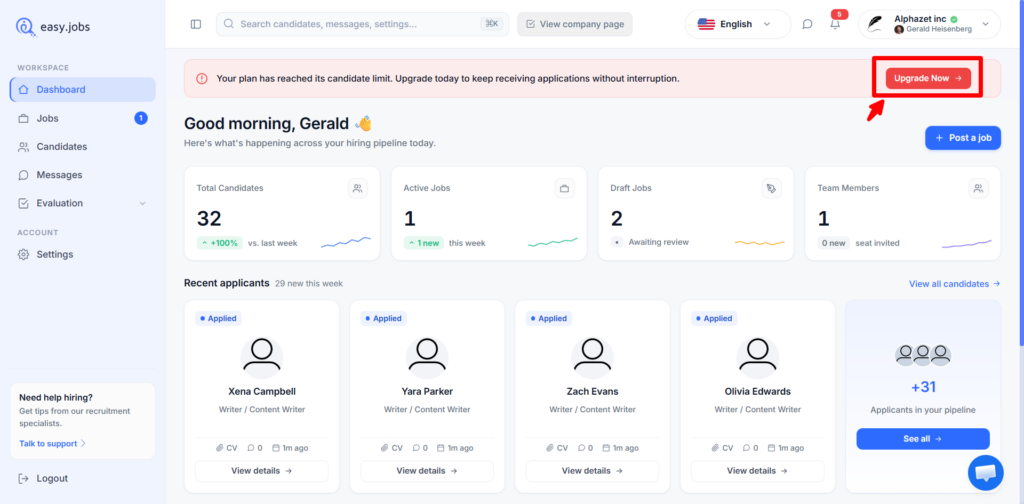
Now, to upgrade your easy.jobs plan to a higher tier, click on the ‘Upgrade Now’ button in the notice displayed upon candidate reach.
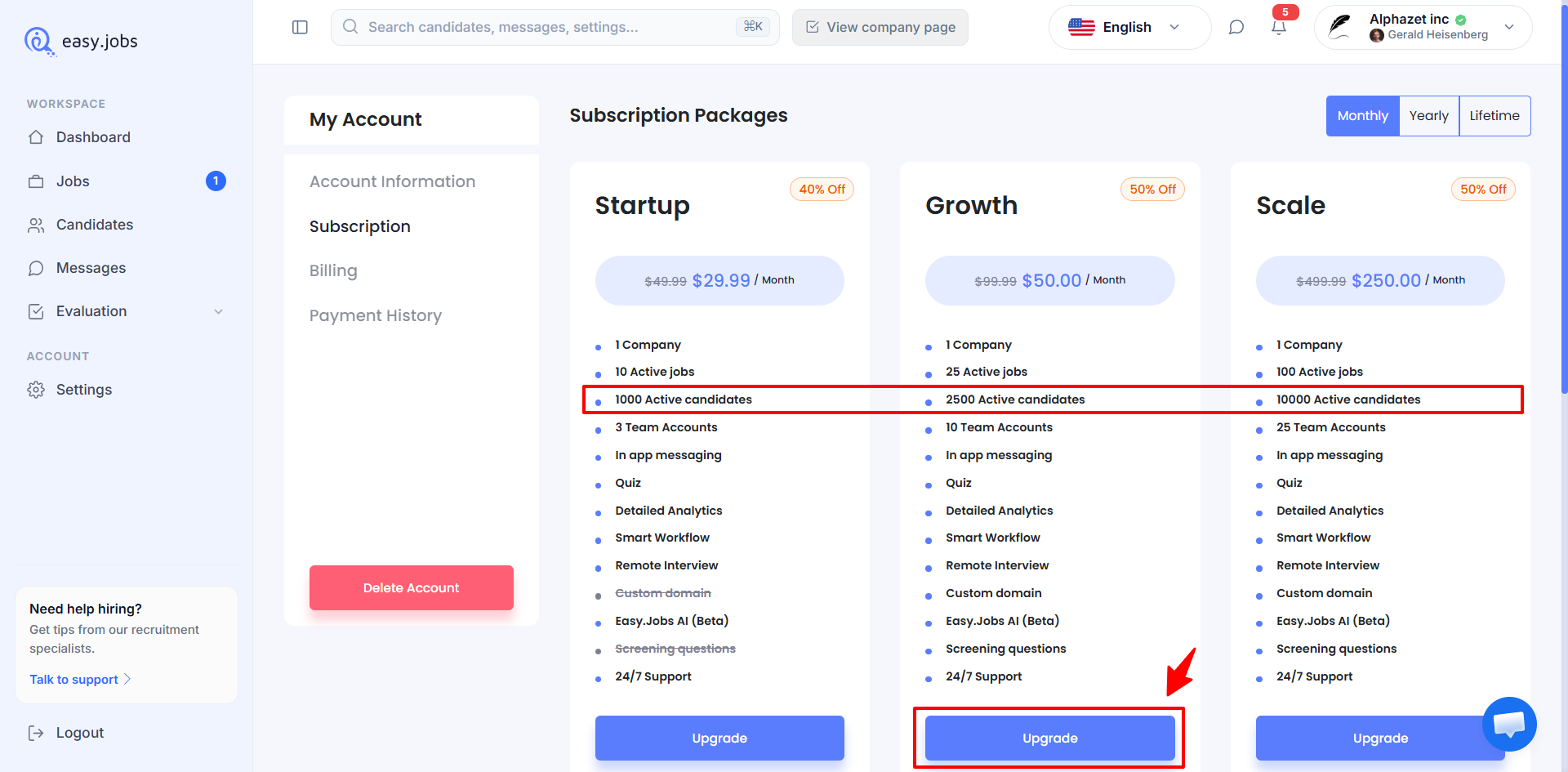
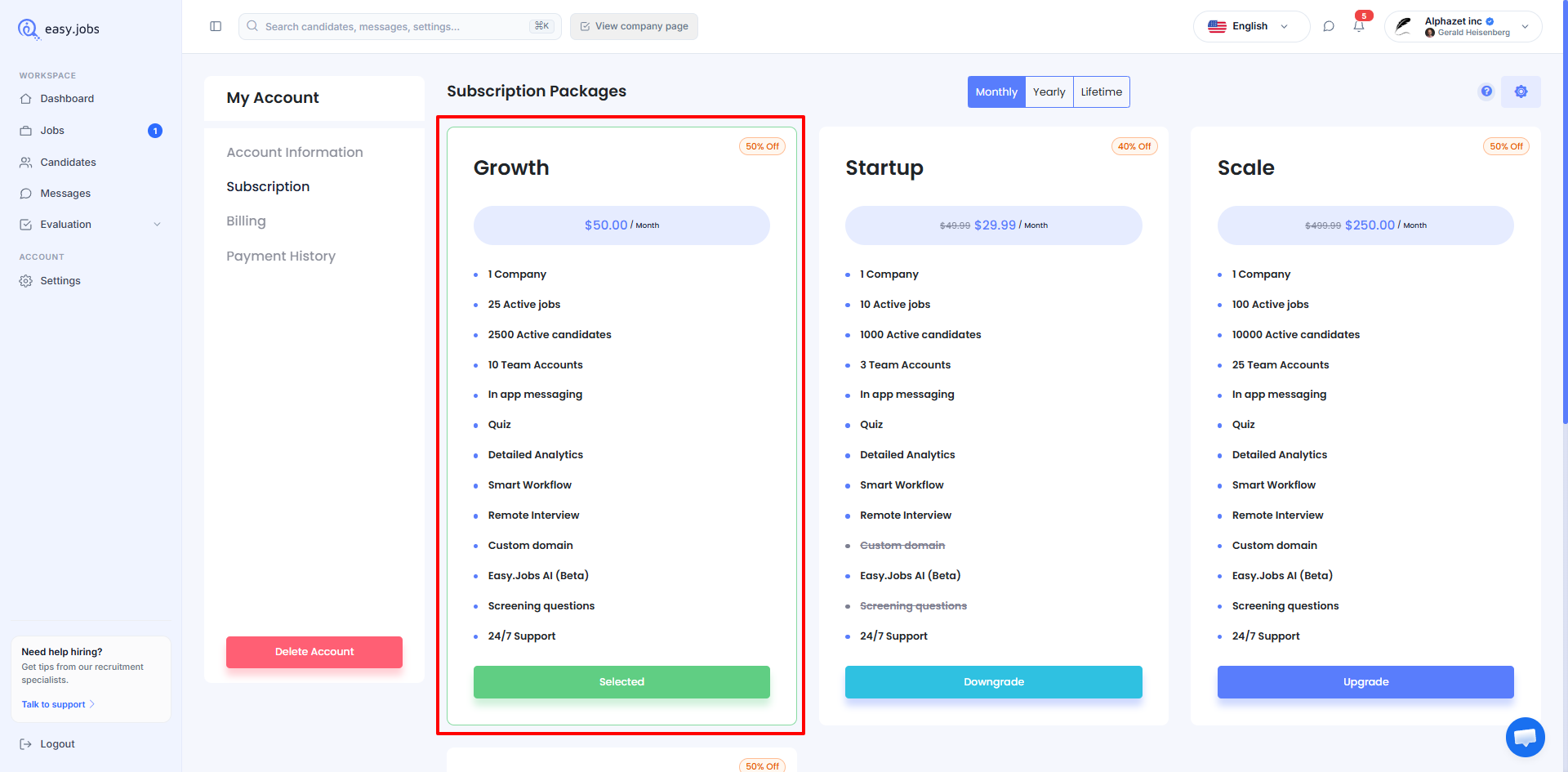
You will be redirected to the subscription packages tab in your easy.jobs ‘My Account’ settings. Here, select a higher-tier plan with a larger limit of candidates to increase your current plan limit and hit the ‘Upgrade’ button on that plan
Next, in the checkout page, please fill out the billing details to complete the upgrade of your current easy.jobs plan. Make sure to check the terms and policy checkbox and then click on the ‘Checkout’ button to complete your payment.
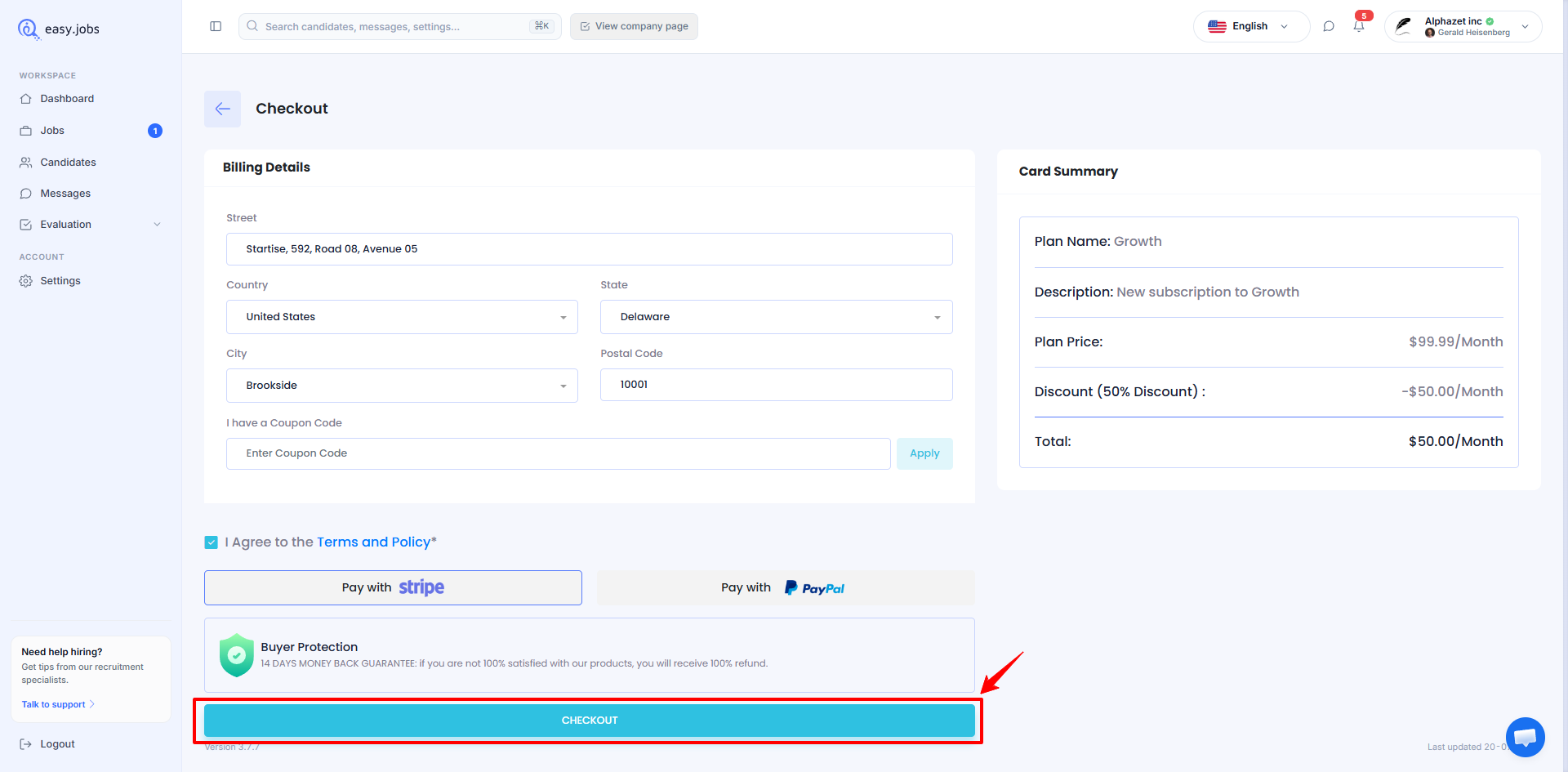
Once your payment is complete, your plan will be updated and you can continue to receive new applications without interruption due to the increased limit of candidates in your plan.
This is how you can easily manage and increase your candidate limit. If you need more assistance, please feel free to contact our support team or join our Facebook community to get connected with other company owners like yourself.