
De Rekrutteringsrørledning helps you organize candidates between each stage of the hiring process and track progress effortlessly. In easy.jobs, you can create a pipeline for individual job separately or a common pipeline template that you can later use for all your job posts and customize as needed.
To manage Pipeline in easy.jobs, you just need to follow a few steps. Then you can move candidates between different stages of the pipeline during the hiring process – from their application submission to an interview over the phone, to elimination, or to sending an offer letter.
How to Easily Manage Pipelines in easy.jobs with A Few Steps? #
Check out this guideline below to learn how to manage Pipeline in easy.jobs:
Trinn 1: Head Over To The Pipeline Setup Menu From Settings Interface #
First, you have to navigate to Settings → Job Settings → Pipeline Management. There you can further adjust your pipeline options.
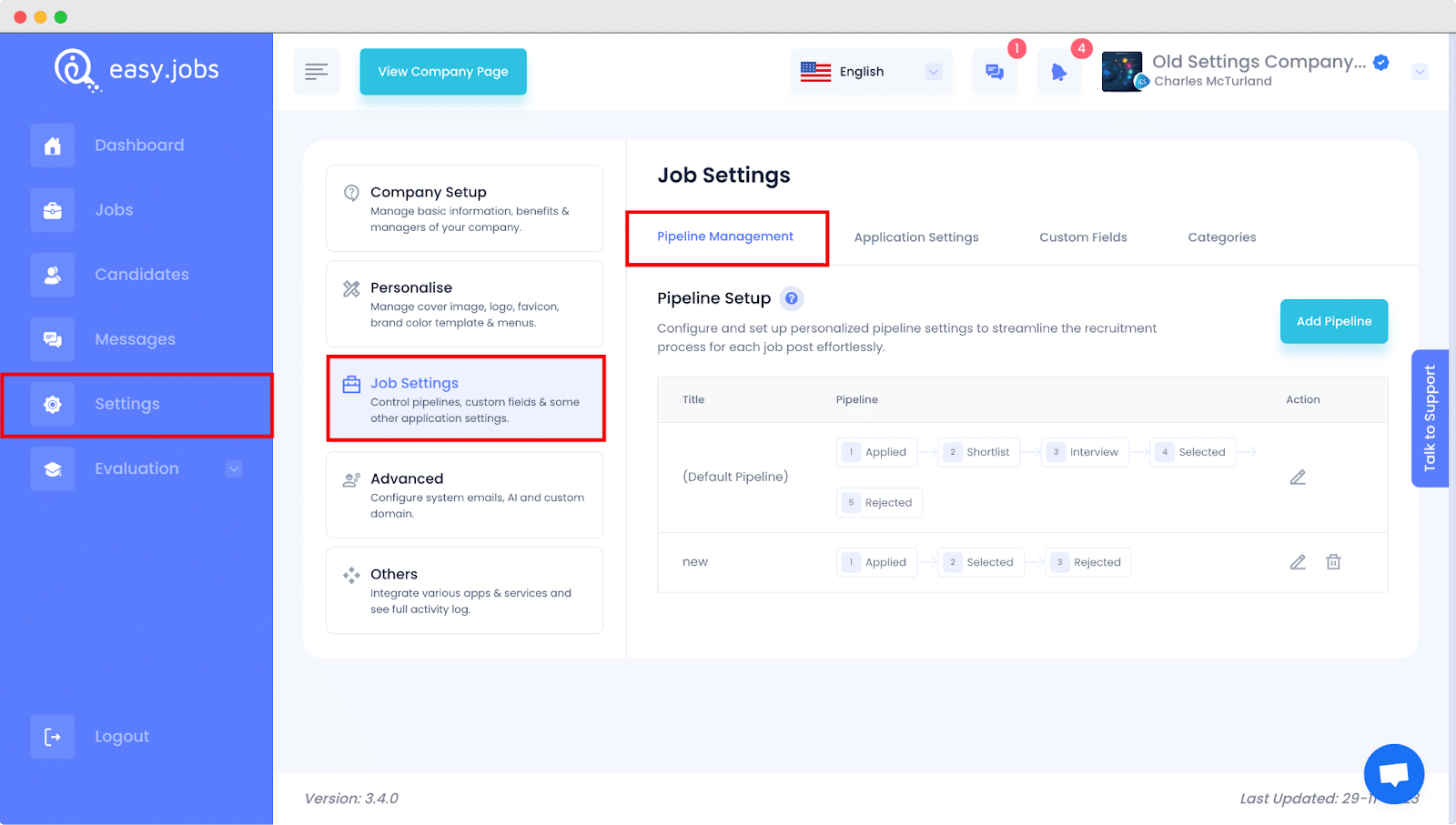
easy.Jobs offers a default pipeline; you can use it in new job posts or customize it as necessary. Also, you can reset back to the default pipeline from your newly created pipelines anytime in job posts.
Steg 2: Add Or Create A New Pipeline In easy.jobs #
Etter det, klikk på ‘Add New Pipeline’ knapp from the top right corner of the page. It will open a new popup window on the screen where you can create your own Pipeline according to your requirements. Name it, customize the existing steps, or add new ones. Then, simply click on the ‘Save And Continue’ button to add the new pipeline to your easy.jobs account.
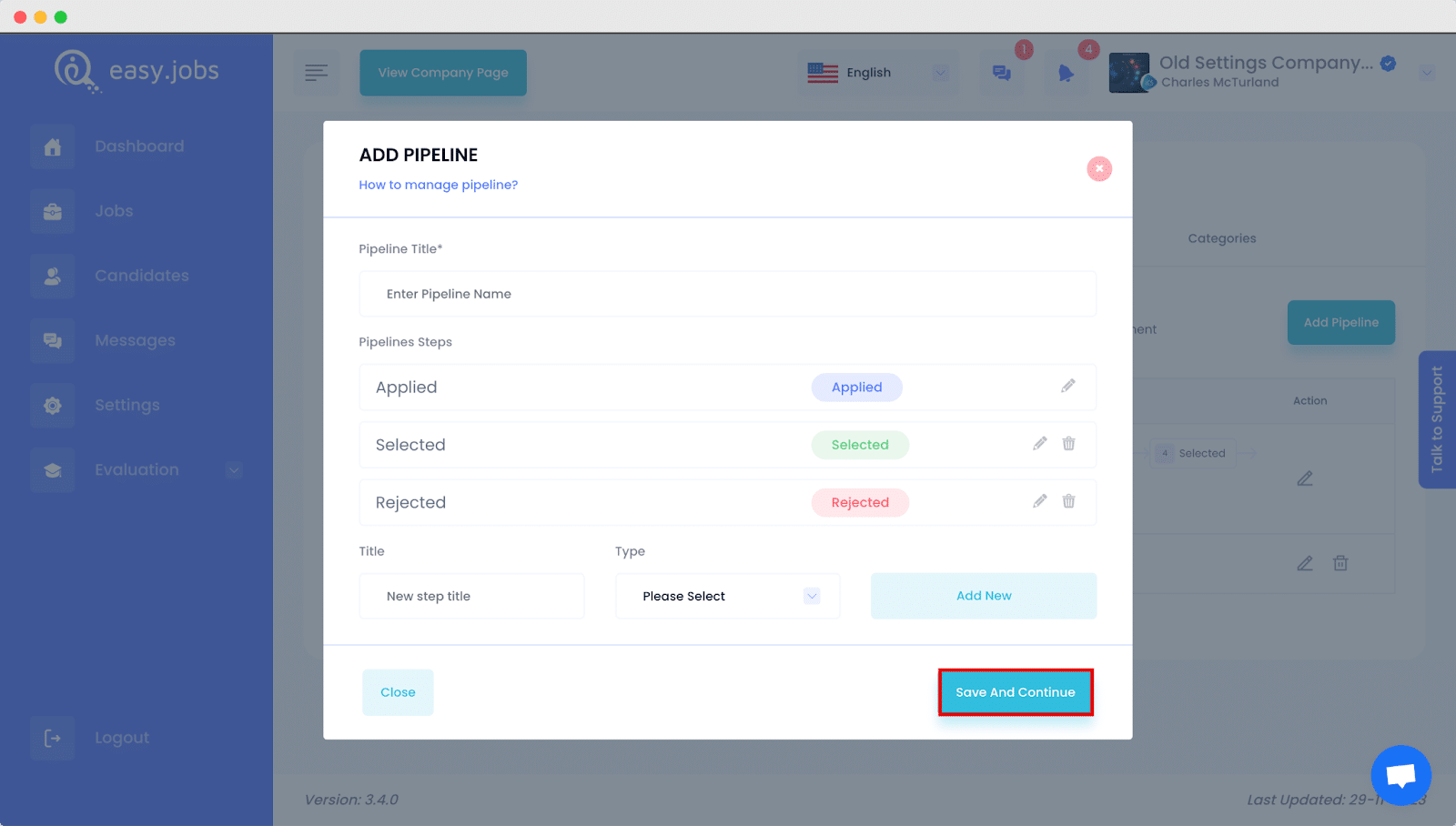
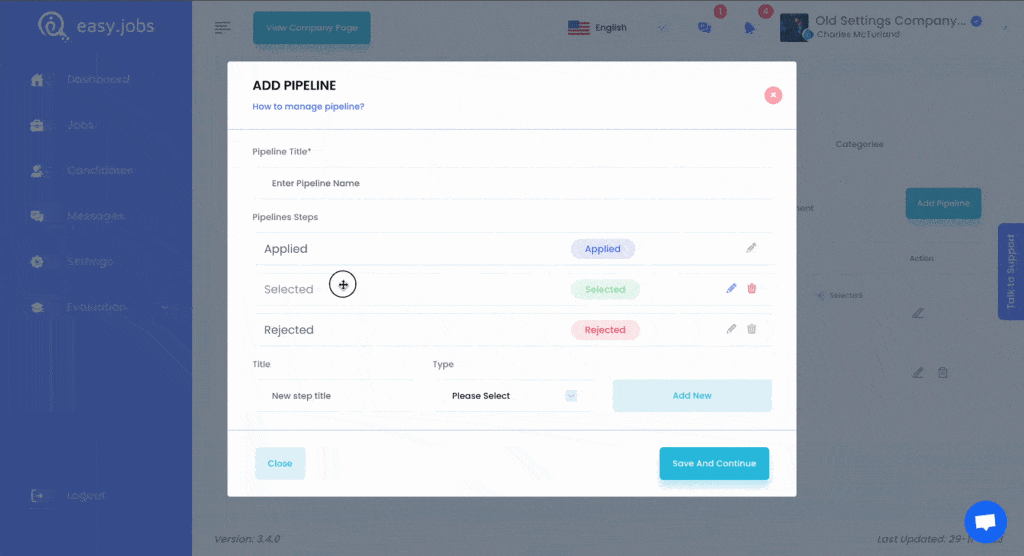
Any newly added pipeline steps will be at the bottom – but can be dragged and dropped to your preferred position. You can also delete pipeline phases anytime. But before deleting any phase of a pipeline, you will get notified about the existing candidates of that phase.
Step 3: Manage Pipeline In easy.jobs #
To edit or manage pipelines, you can simply click on the edit button denoted by the pencil icon as shown in the image or below. Or, you can also delete the newly added pipeline whenever you want.
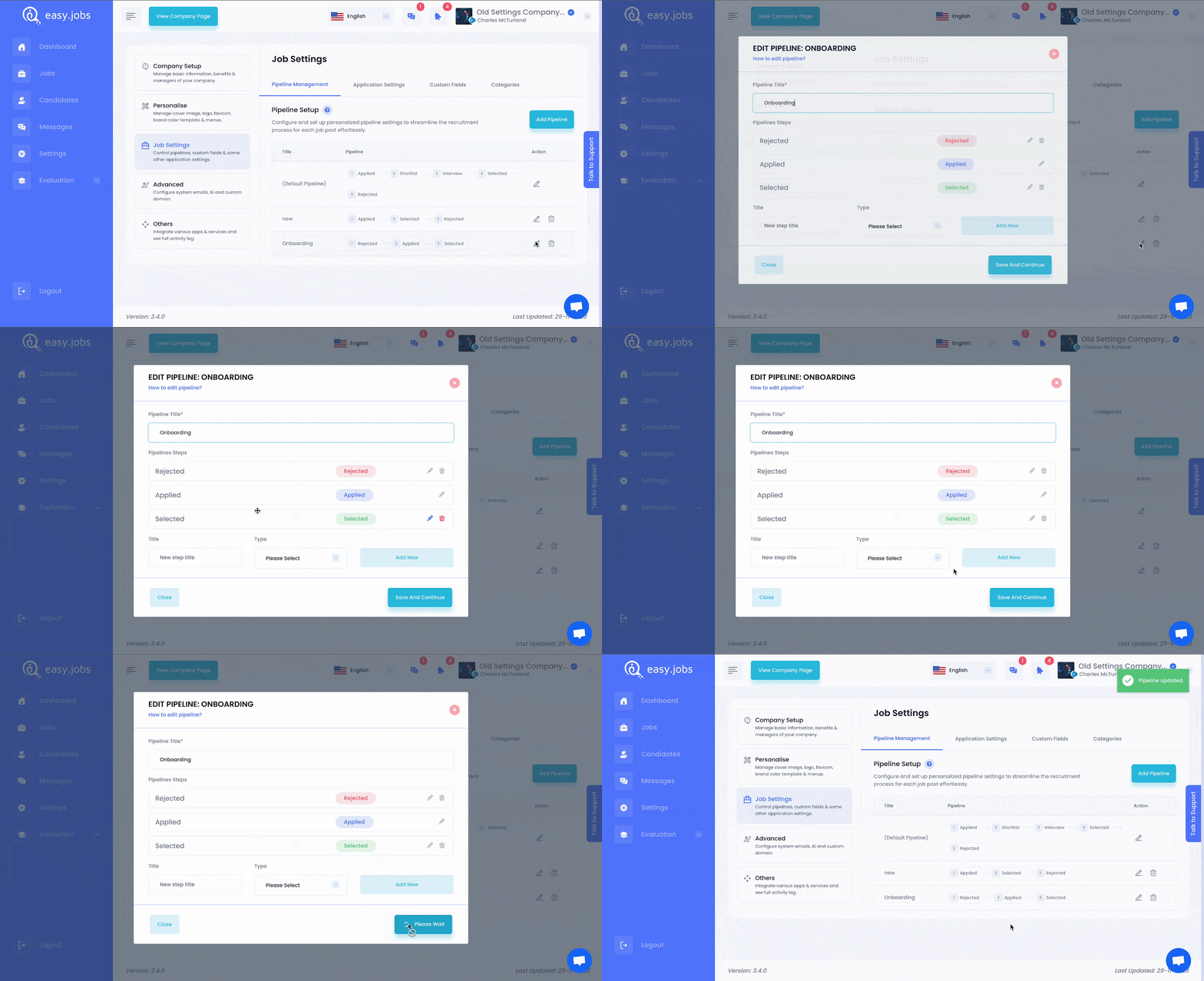
Once you have done with all the steps, congratulations! You have successfully created a pipeline in easy.jobs.
Hvis du trenger hjelp, må du gjerne kontakt oss eller bli med på vår Facebook-fellesskapet for å få kontakt med andre bedriftseiere som deg selv.