
Du kan enkelt upload or change company logo for your organization in easy.jobs.
How To Change Company Logo In easy.jobs? #
Follow these simple instructions below to learn how to change the company logo of your organization in easy.jobs.
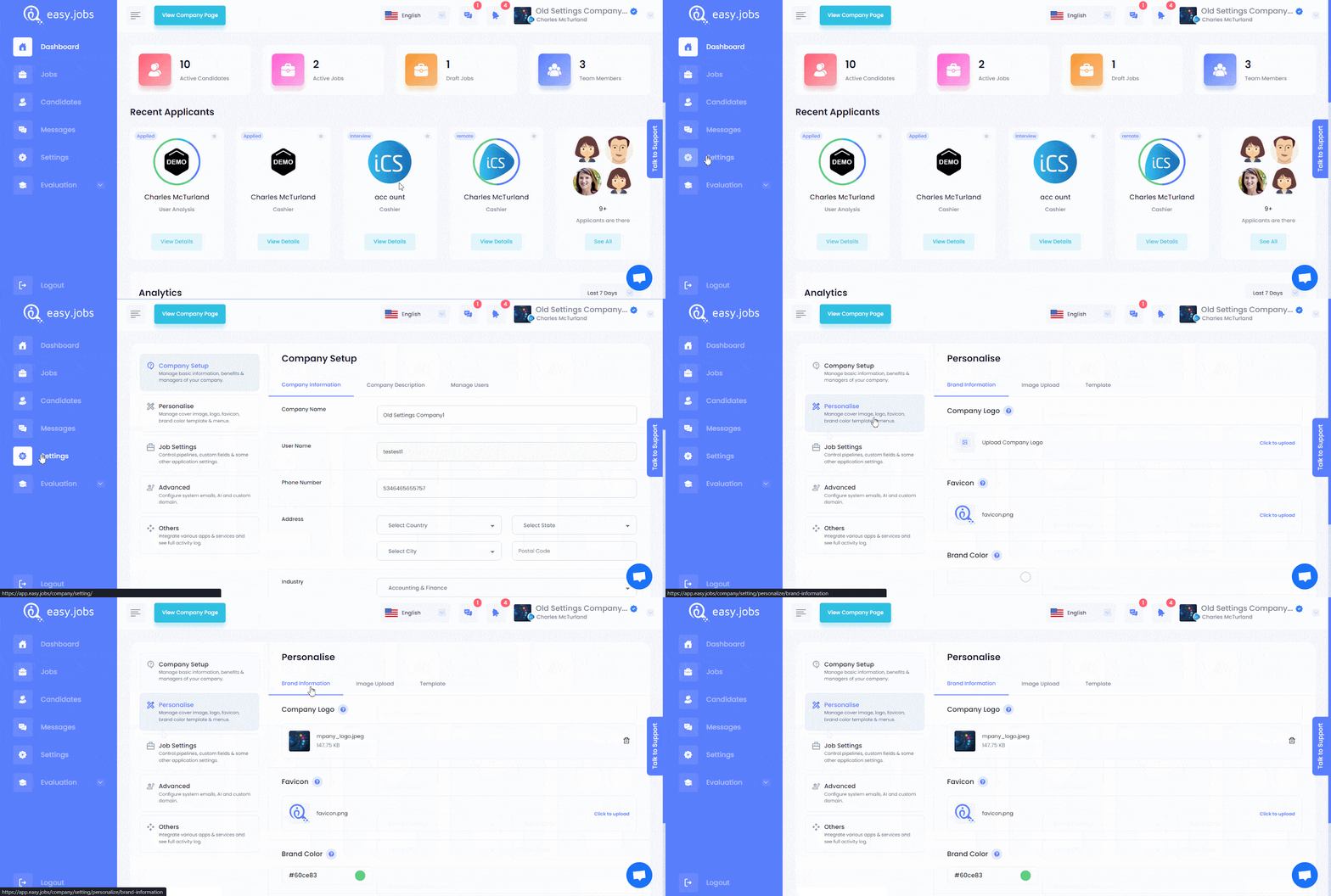
Trinn 1: Log in to your easy.jobs account and then click on the Innstillinger tab from your dashboard. Then, navigate to the Personalise → Brand Information tab to change your logo.
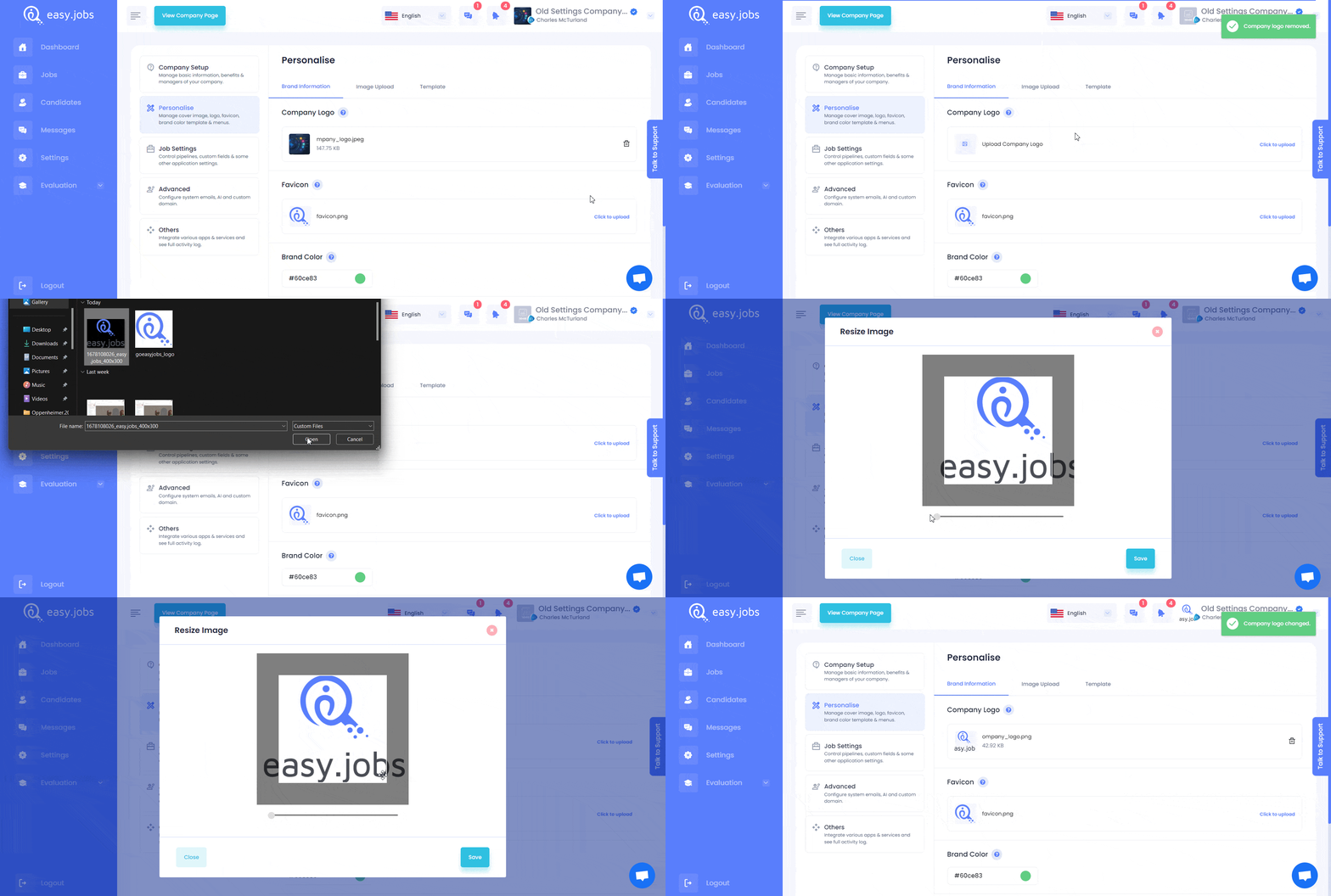
Steg 2: Remove the existing logo, and you will find the option to upload a new one. Hit the ‘Click to upload’ button, select your logo image from your local storage, and then resize as you see fit. After resizing the image, save the changes. You can now see your new company logo in easy.jobs as shown below.
Slik kan du change the company logo for your organization in easy.jobs. If you need any help, feel free to kontakt oss eller bli med på vår Facebook-fellesskapet for å få kontakt med andre bedriftseiere som deg selv.