
easy.jobs lets you create a powerful career site to attract and hire talented candidates. You can also display creative company descriptions and stunning images on your career site for the best effect.
Sjekk retningslinjen nedenfor for å lære hvordan du gjør det legg til teambilder til karriereområdet.
Trinn 1: Logg inn på din easy.jobs-konto og naviger til Settings → Personalise → Image Upload. You will find a section towards the bottom where you can upload photos to showcase your company and team. Scroll down and click on the ‘Change Photo’ button and upload your photos individually.
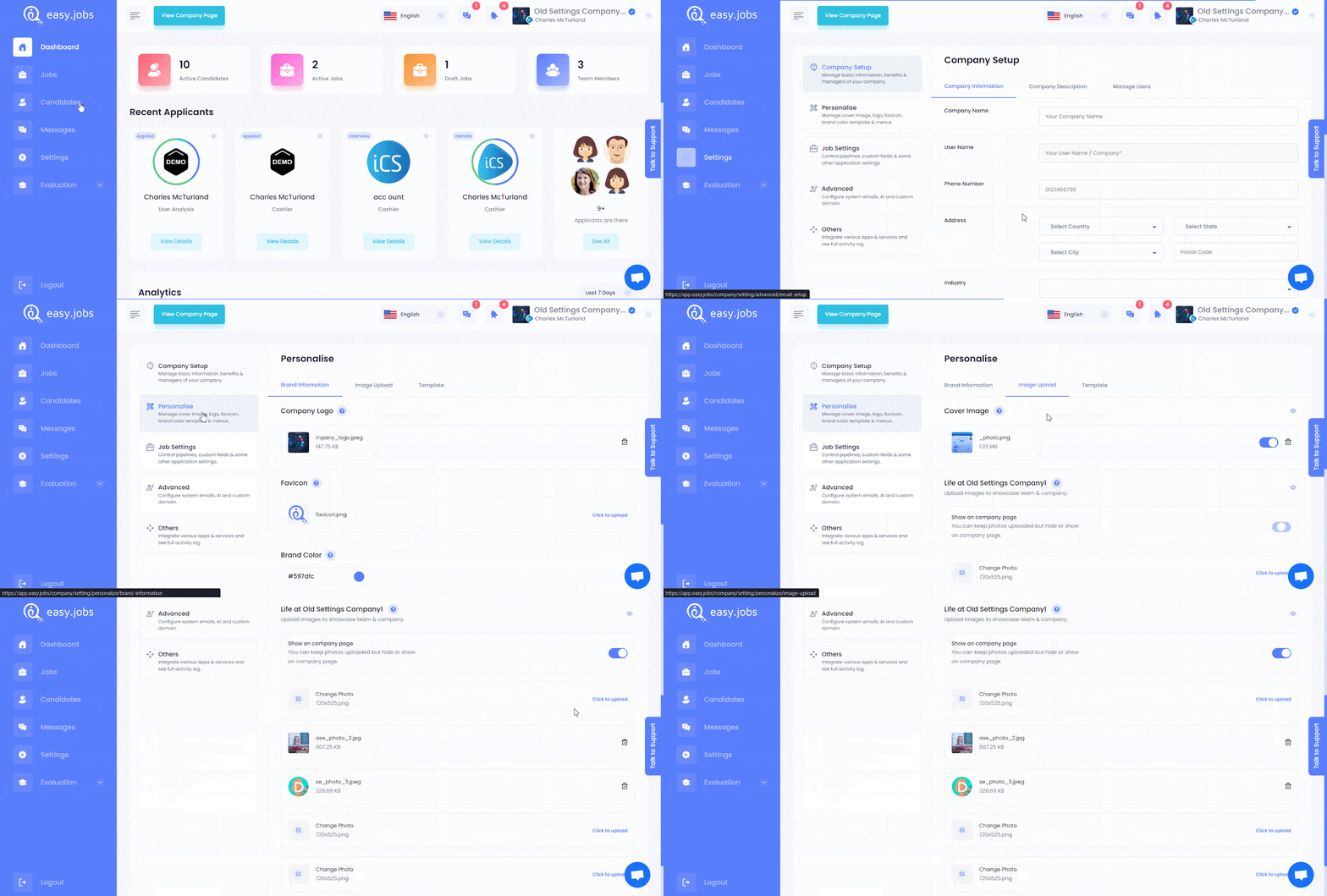
Steg 2: Once you have chosen and uploaded photos, click on the checkbox next to the option ‘Show on Company Page’. This will enable all the uploaded images to appear on your company page.

This is how you can add team photos on your career site and highlight life at your company to attract talented candidates. If you need any help, feel free to kontakt oss eller bli med på vår Facebook-fellesskapet for å få kontakt med andre bedriftseiere som deg selv.