
Innholdsfortegnelse
If you need to check your payment history, you can do so easily from your easy.jobs dashboard. Follow these guidelines below to learn how to check payment history in easy.jobs.
Step 1: Manage Your Account From easy.jobs #
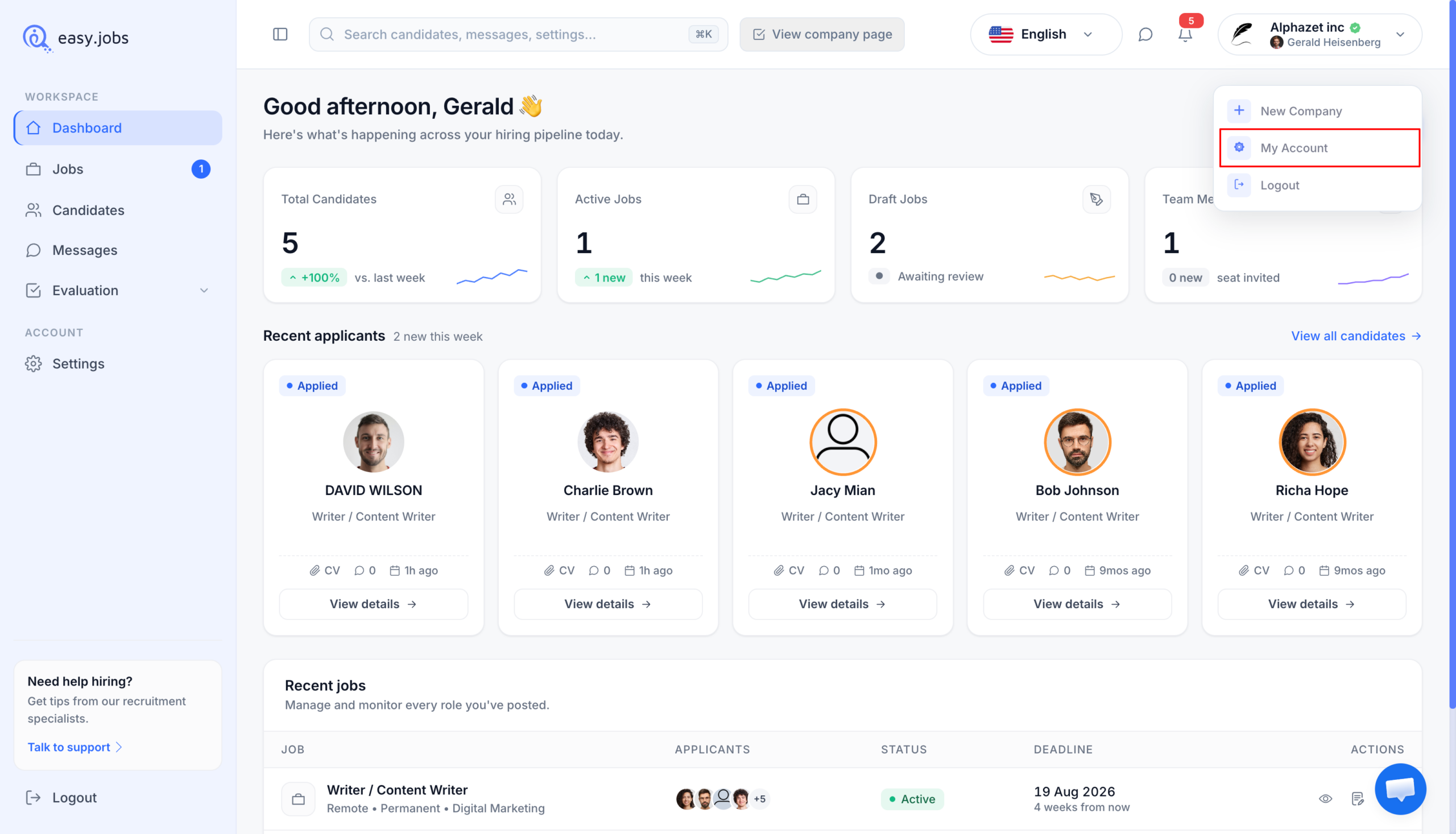
Log into your easy.jobs account and navigate to ‘My Account’ from the easy.jobs Dashboard.
Step 2: View Your Payment History #
It will take you to this page from where you need to click on the ‘Payment History’ option from the left side menu bar. After that you will be able to view your payment history.
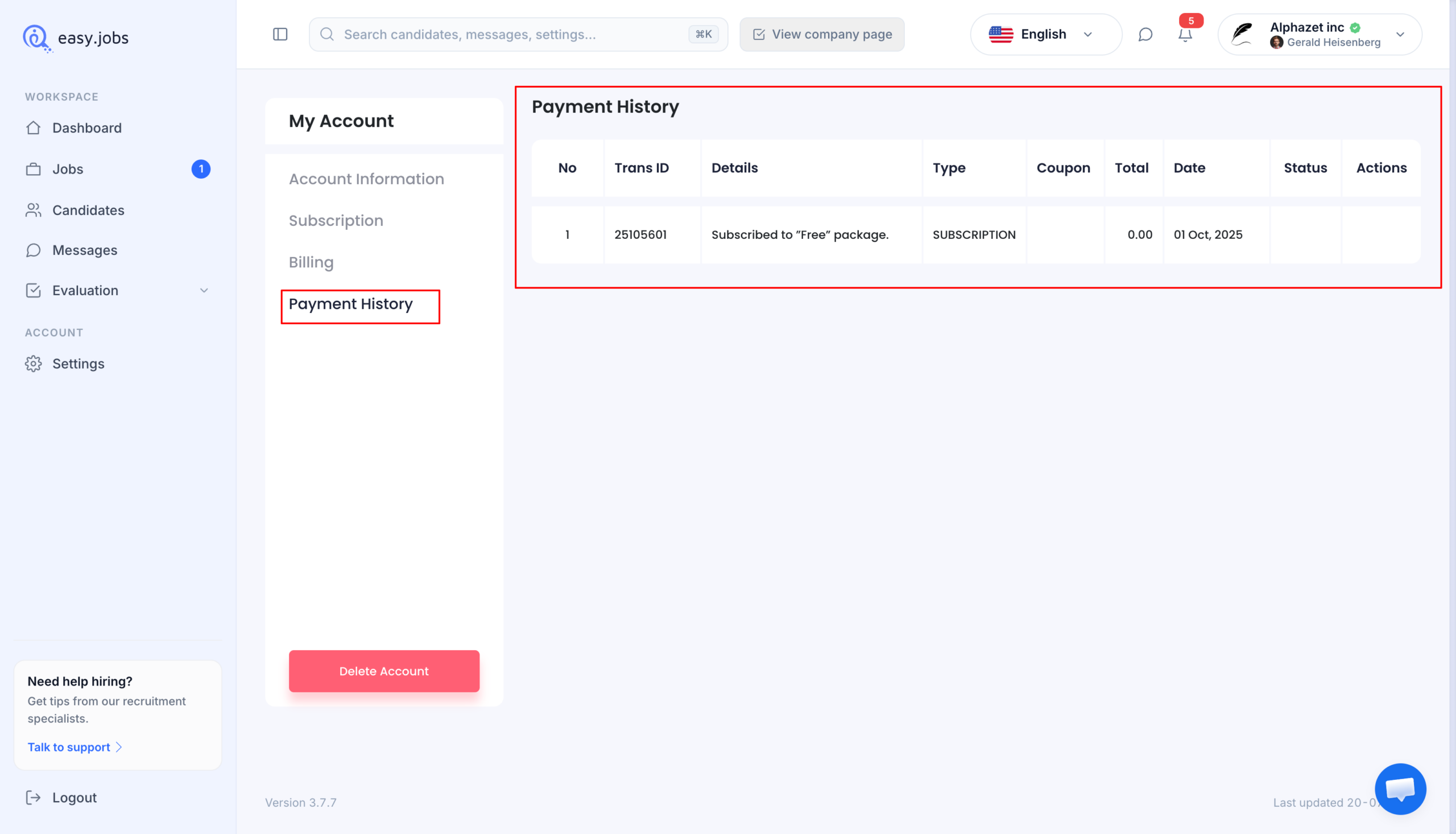
Slik kan du check payment history in easy.jobs.
Hvis du trenger hjelp, må du gjerne kontakt oss eller bli med på vår Facebook-fellesskapet for å få kontakt med oss.