
Du kan enkelt view the resume of a candidate in easy.jobs. Follow these step-by-step guidelines to find out how.
Step 1: Manage Candidates From Your Dashboard #
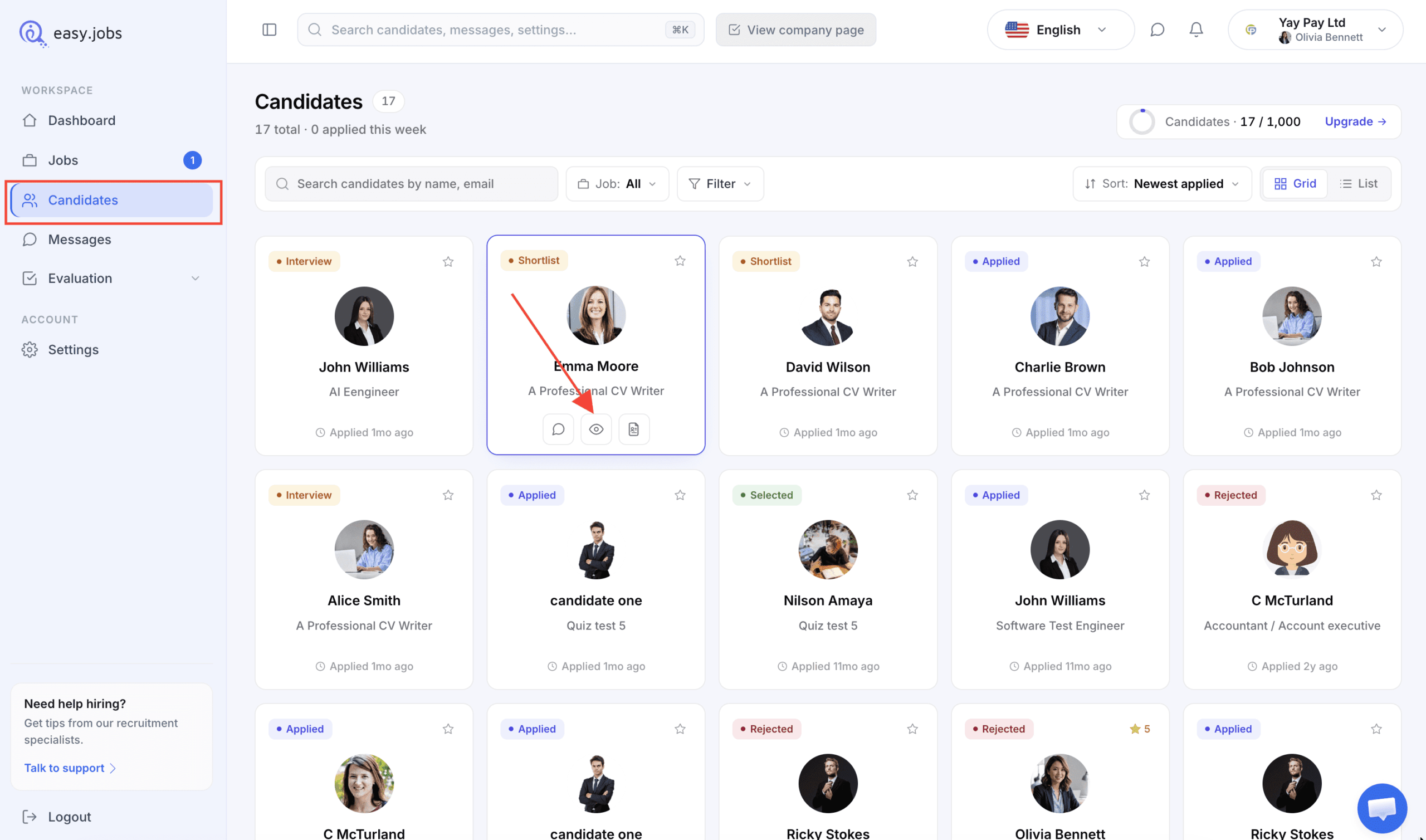
Log in to your easy.jobs account and navigate to 'Kandidat'. Etter det, klikk på 'Vis detaljer' icon of any candidate whose resume you want to view.
Step 2: View Candidate’s Resume In easy.jobs #
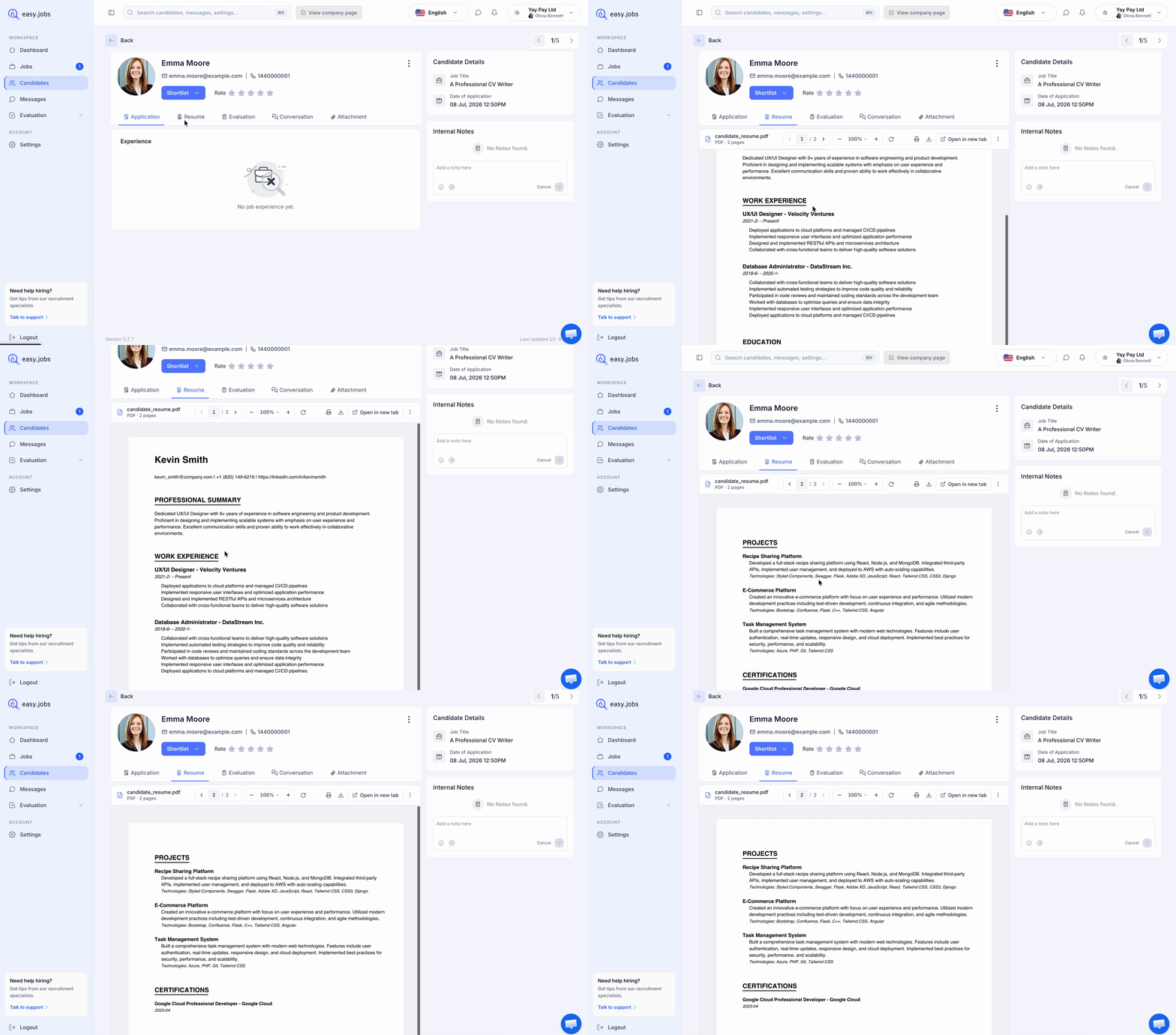
Det tar deg til denne siden, hvorfra du trenger å klikke på 'Resume’ tab in the process. Now you will be able to see the resume of the applicant to decide if he or she is a good fit for the job.
Step 3: How To Check Candidate Resume Directly From Your Email Inbox #
If you want to check out applied candidates’ resumes without logging in to your easy.jobs dashboard, then you can do that too. Follow this guideline to check candidates’ resumes directly from your email inbox without logging in to easy.jobs dashboard:
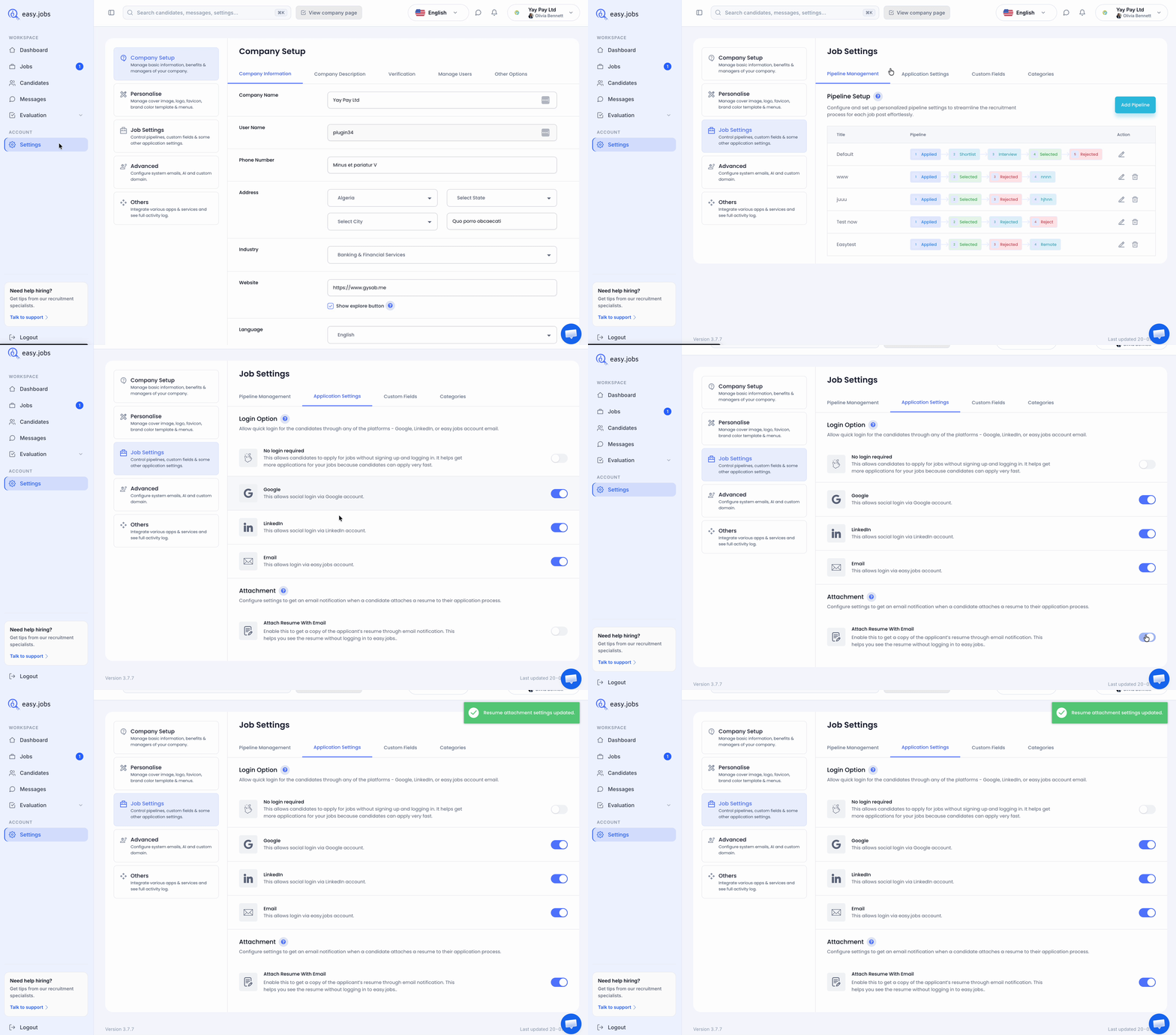
From your easy.jobs dashboard, go to Settings –> Job Settings –> Application Settings. There you will find the option to enable receiving resumes through automated emails. Toggle On from Attach Resume With Email field. Then you can directly get candidates’ resumes through emails.
Slik vil du kunne view the resume of a candidate in easy.jobs.
Hvis du trenger hjelp, må du gjerne kontakt oss eller bli med på vår Facebook-fellesskapet for å få kontakt med oss.