
Zoom is a popular and easy-to-use application for online communication when face-to-face meetings are not possible. For this reason, easy.jobs gives you the flexibility to efficiently gjennomføre eksterne intervjuer gjennom Zoom for å hjelpe deg i din eksterne rekrutteringsprosess.
Hvordan hente zoom-API-nøkkel #
Before you can get started, you need to retrieve your Zoom API, which you can do by following the steps shown below.
Trinn 1: Opprett en ny app i Zoom App Marketplace #
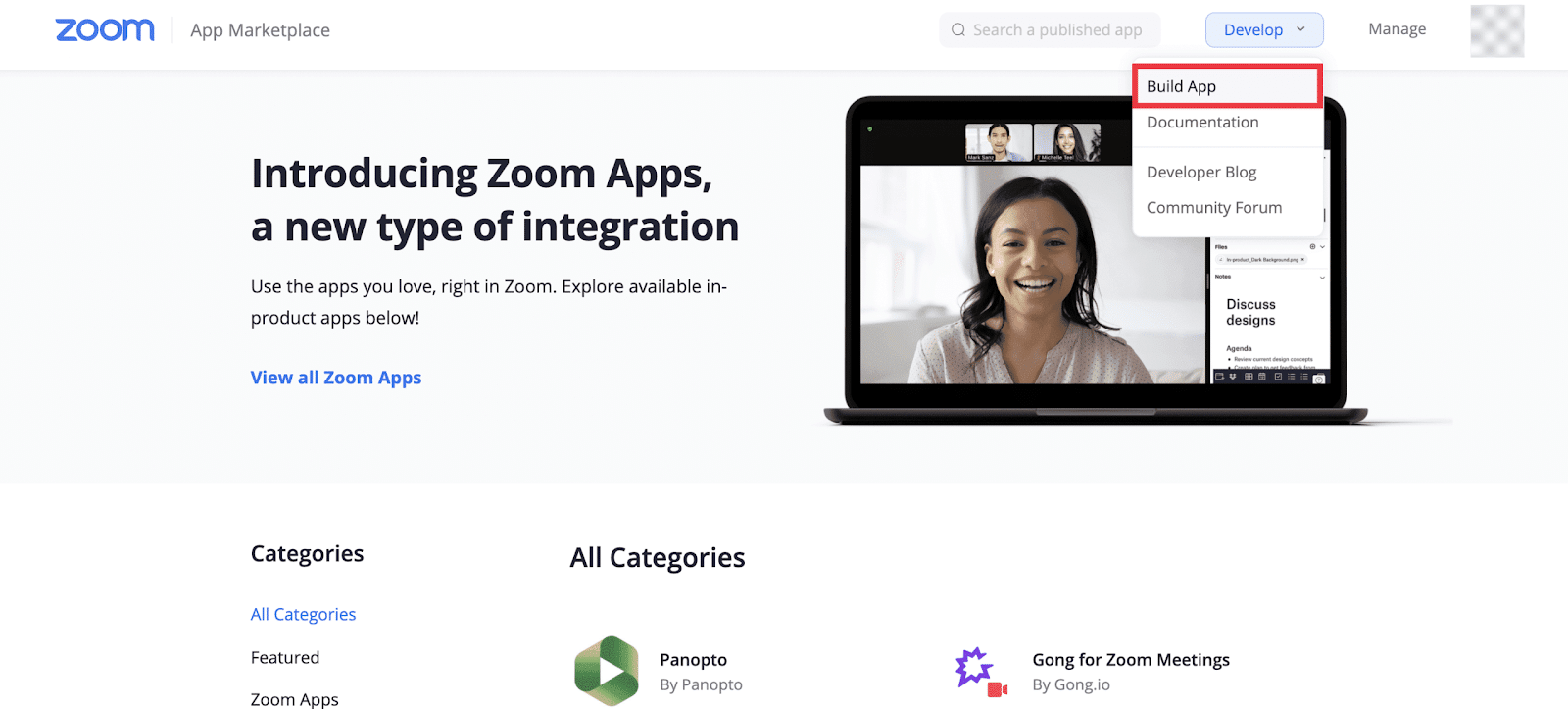
Gå til Zoom App Marketplace og klikk på Utvikle → Bygg app å lage en ny app. Du vil bli bedt om å logge på med Zoom-kontoens legitimasjon.
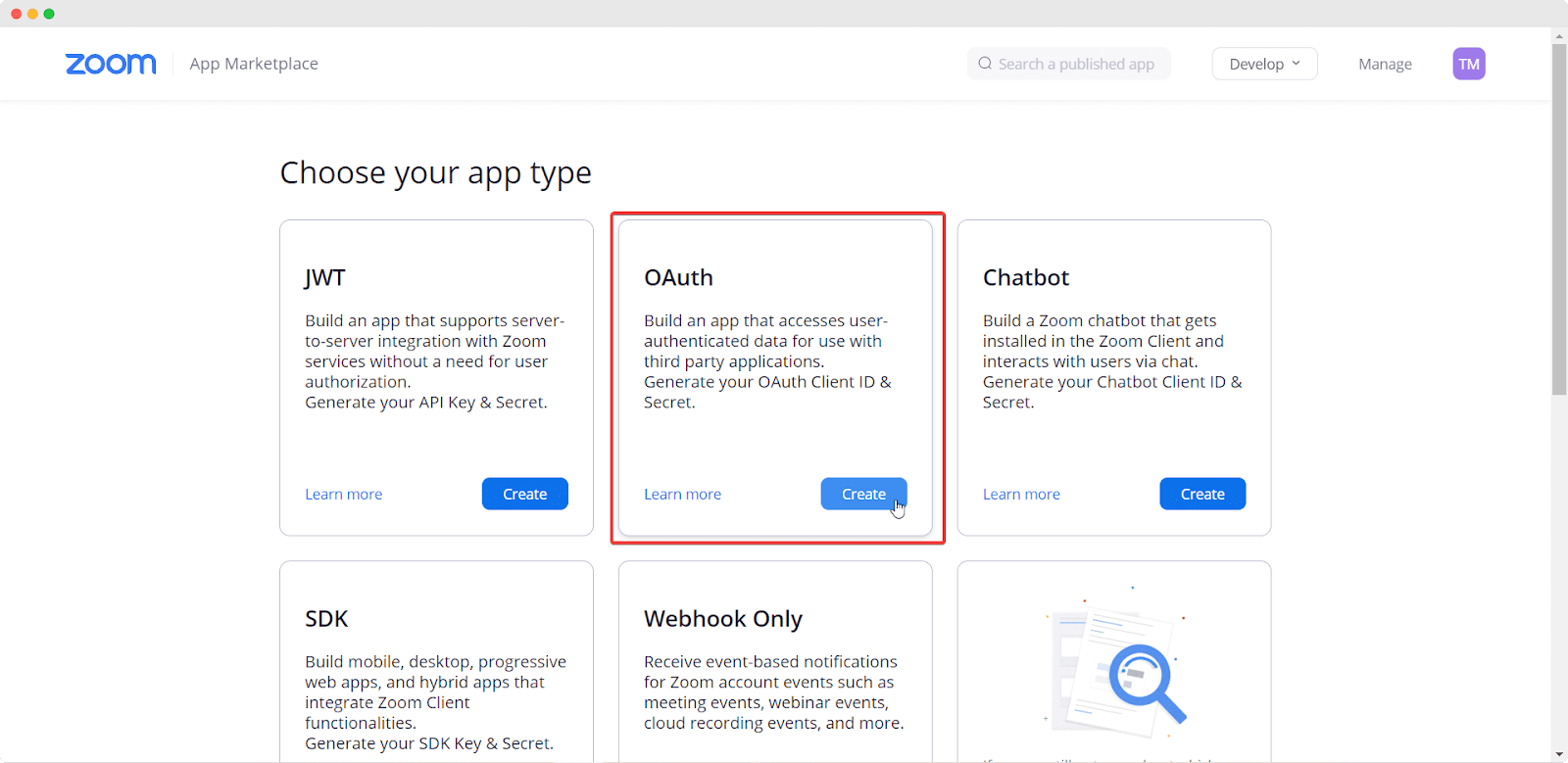
Når du blir bedt om å velge apptype, velger du OAuth and click Skape.
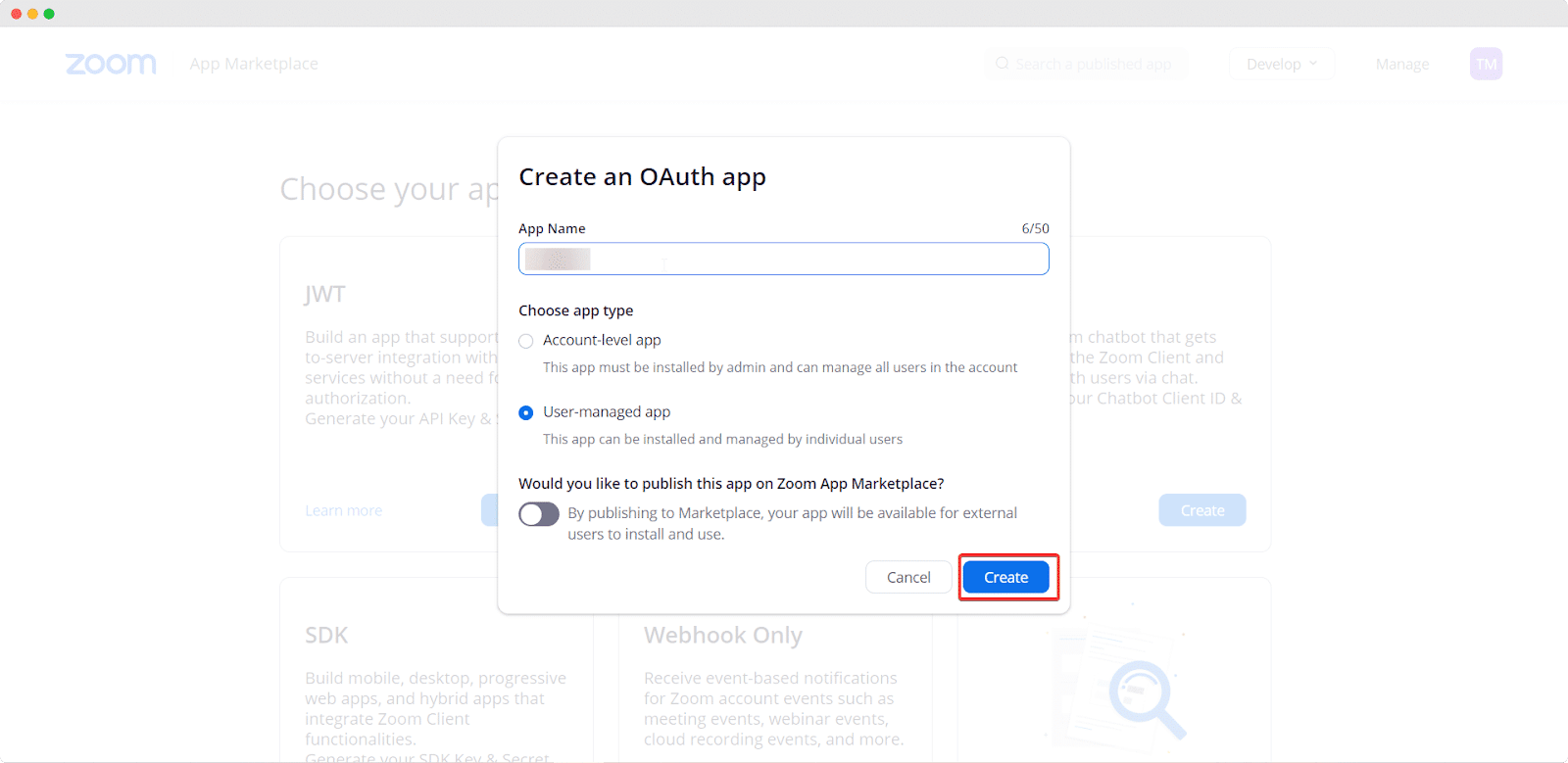
Dette åpner et popup-vindu der du trenger å gi et navn til appen din, angi apptypen din som Brukeradministrert og bytte for å deaktivere at appen din blir publisert i Zoom App Marketplace. Klikk på Skape når du er ferdig.
Trinn 2: Samle inn zoom-API-nøkkelen og still zoomomfang #
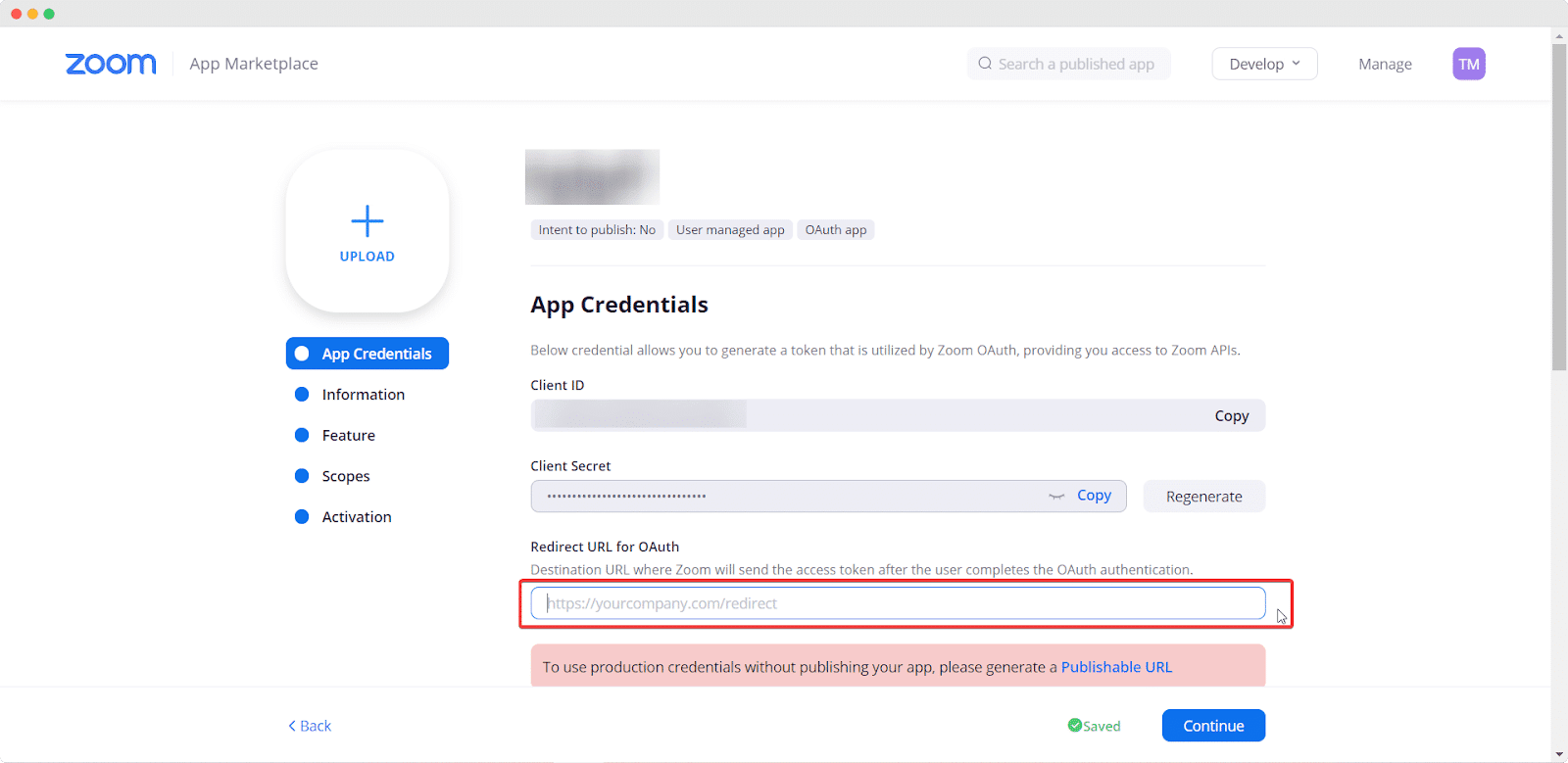
Etter å ha fullført forrige trinn, blir du omdirigert til en ny side der du kan samle inn Zoom-klient-ID og klienthemmelighet ved å kopiere dem. Ikke glem å legge til viderekoblingslenken for appen din i inputfeltet under Omadresser URL for OAuth and click on the ‘Continue’ button. For Zoom App, your redirect URL should be https://app.easy.jobs/remote-interview/zoom.
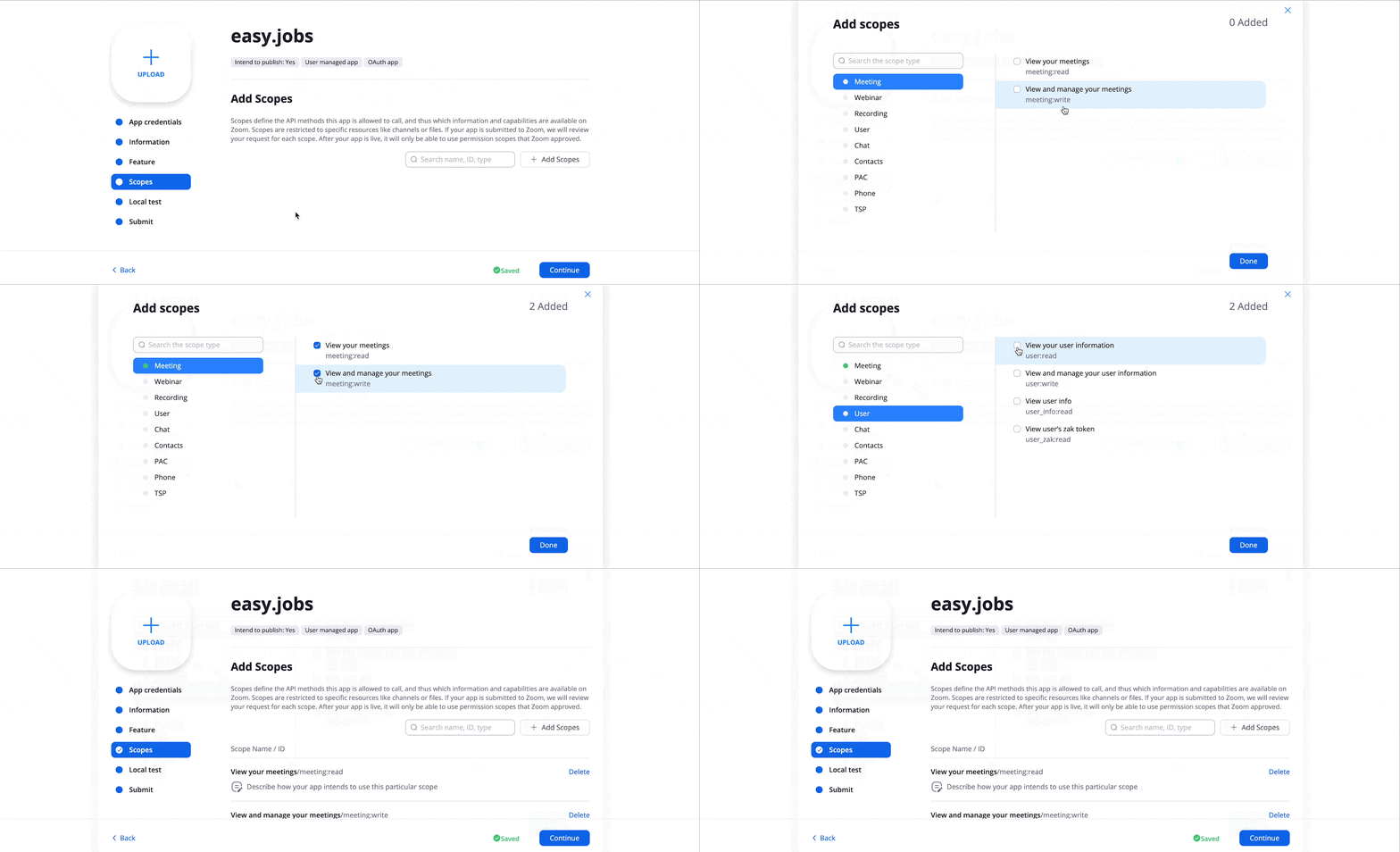
Naviger deretter til scopes and click Legg til omfang so your candidates can join Zoom meetings for remote interviews. From scopes, select ‘Meeting’ and click ‘View your meetings,’ ‘View & message your meetings’; then select the ‘User’ option and tick ‘View your user information’. After selecting these options, click on the ‘Done’ button. That’s it.
How To Configure Zoom App In easy.jobs #
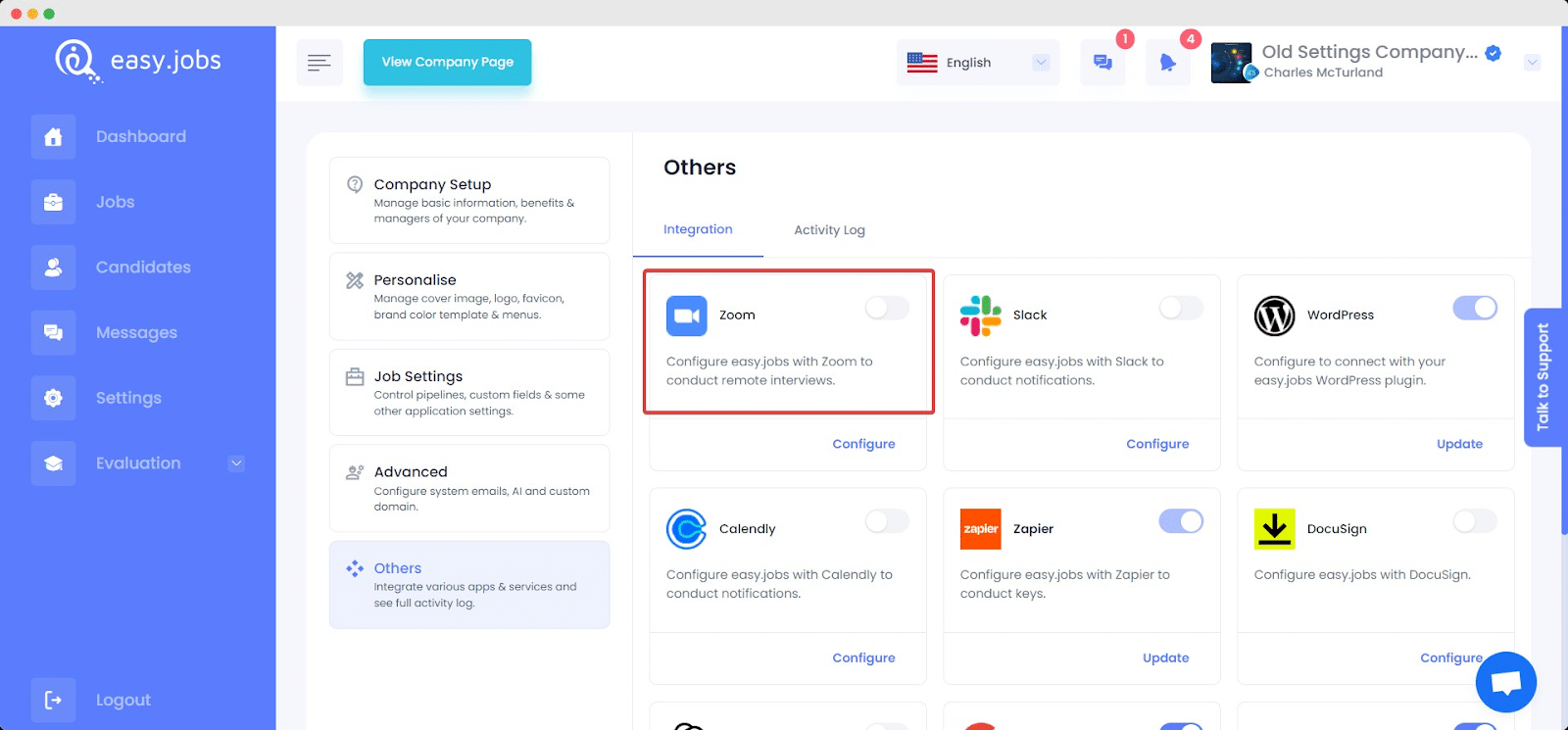
Log in to your easy.jobs account and navigate to Settings → Others → Integration from your dashboard. There, you will find the Zoom app along with other integration apps. Click on the ‘Configure’ button of Zoom.
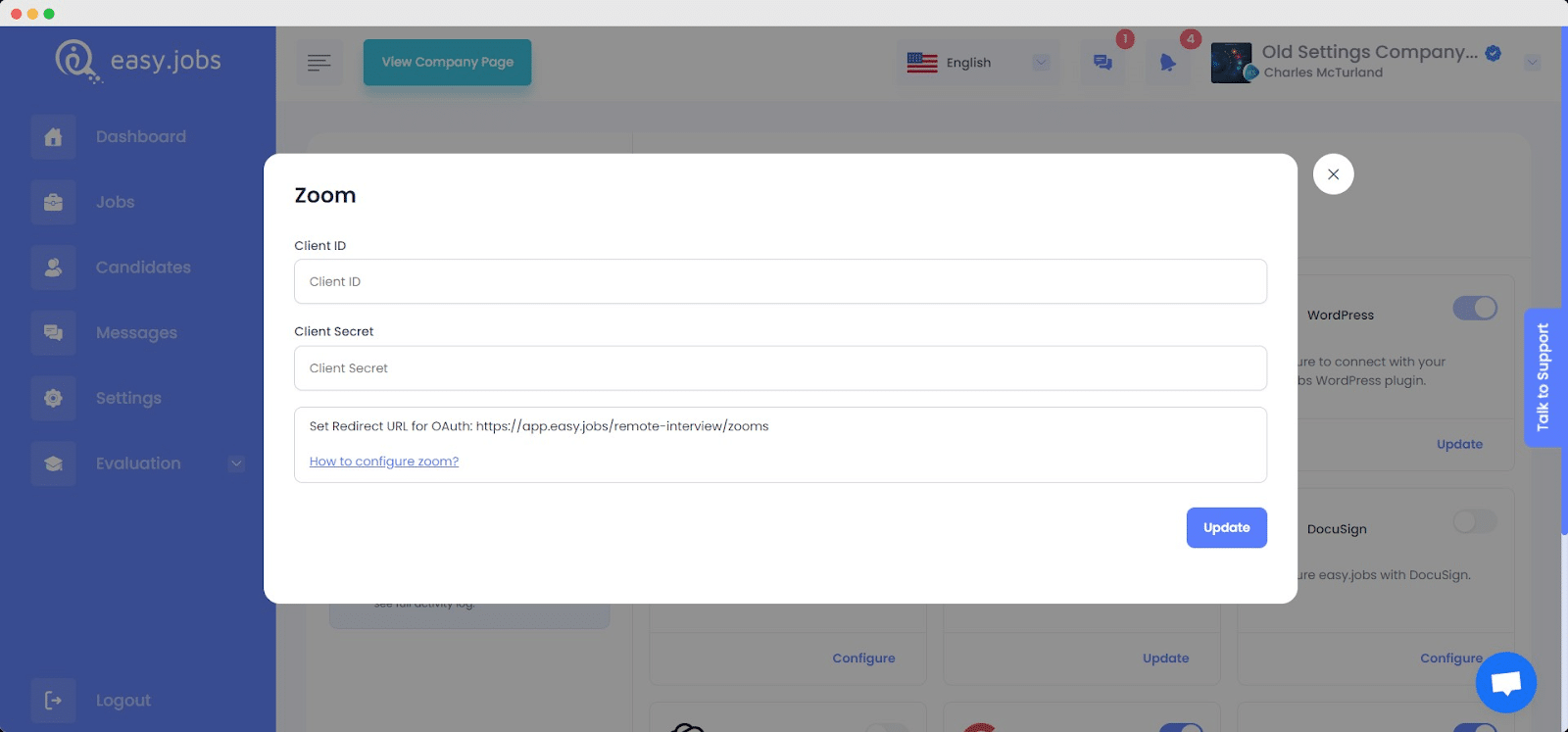
In the Zoom App Config section, paste your Client ID and Client Secret, which you copied earlier. Click on Oppdater når du er ferdig.
By following these steps, you can configure the Zoom App with easy.jobs to easily conduct remote interviews. If you face any difficulties, feel free to kontakt oss for ytterligere hjelp.