
Du kan enkelt upload or change cover photos for your company in easy.jobs to make your company page attractive to ideal candidates. Follow these simple instructions below to learn how to do this.
Trinn 1: Log in to your easy.jobs account and then click on the Innstillinger tab from your dashboard. Then, navigate to ‘Personalise’ → ‘Image Upload’, & now delete the existing cover image shown below to change with a new one.

Steg 2: You will now get an option to upload a cover photo from your computer. To do so, click on ‘Click to upload’ like below. After that, you will see that your company’s cover photo has been changed.
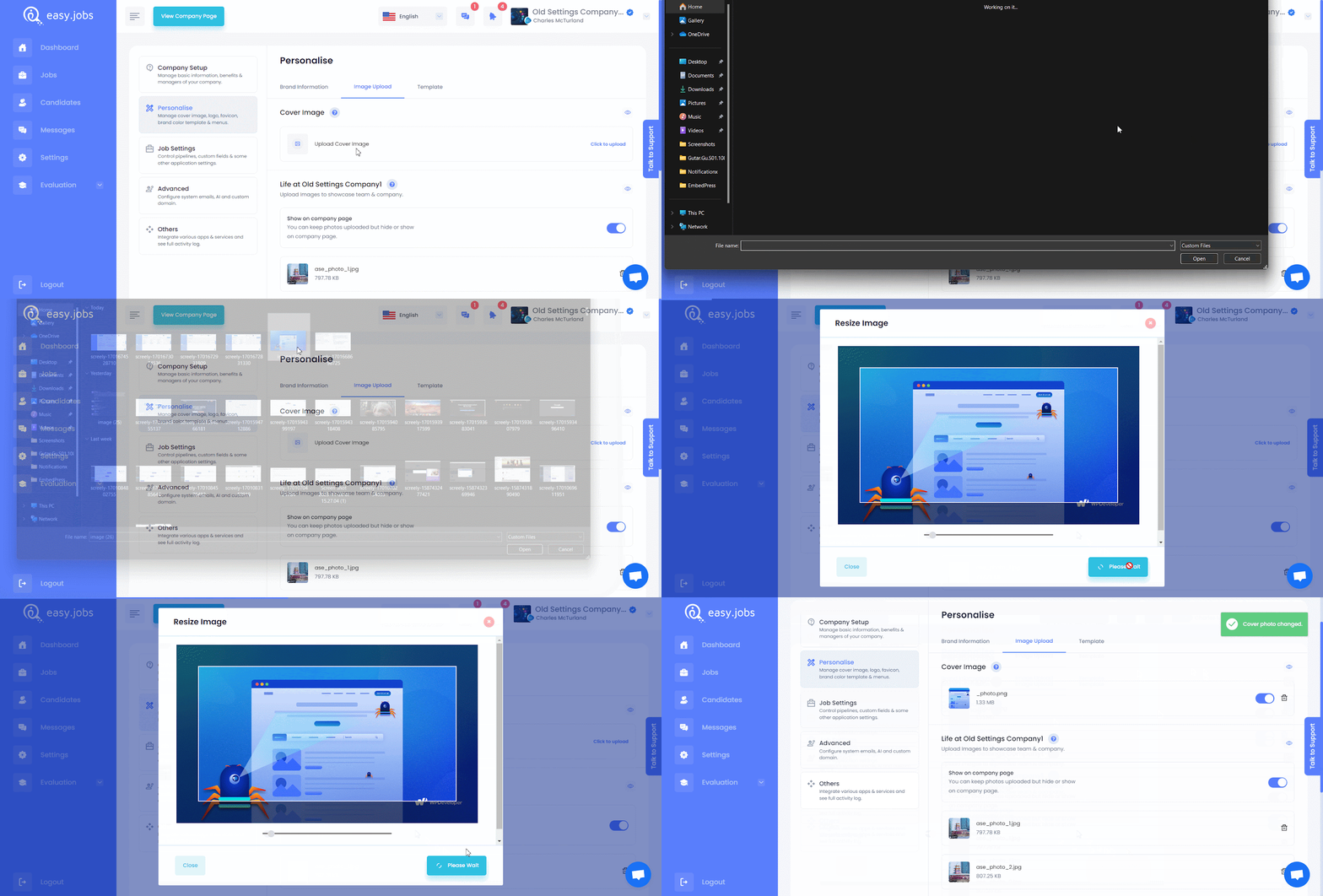
Slik kan du change cover photo for your organization in easy.jobs.
Hvis du trenger hjelp, må du gjerne kontakt oss eller bli med på vår Facebook-fellesskapet for å få kontakt med andre bedriftseiere som deg selv.