Free resume databases for recruiters usually mean one thing: the search itself will not cost you anything. Contacting the person you found is where most of these platforms start charging. Let us find free candidate sources for your team.

This guide is built for recruiters who want a genuinely free resume database, not a “free” one with the useful part paywalled. Below, it breaks down exactly what is free on each platform, where the paywall actually sits and how to search resumes on the free tier without wasting hours on a site that was never going to let you download a phone number.
TL;DR – Best Free Resume Databases At A Glance
Most “free” resume databases let you search for free but put candidate contact information behind a paywall. If you need to source without spending your budget, here is the quick breakdown of where to find free resumes based on the roles you are filling:
- For the largest talent pools: Indeed and LinkedIn give you the most volume and best filters, but you will need a paid plan for full contact details and bulk messaging.
- For genuinely free contact info: Jobvertise and PostJobFree offer the most direct free access, allowing you to view actual contact details on many profiles without a subscription.
- For tech and startup roles: Wellfound (formerly AngelList) and GitHub are free by design, no paywalls for searching profiles or reaching out to developers.
- For creative roles: Behance offers fully public, free-to-browse portfolios for designers and illustrators.
- For local or UK hiring: Use Craigslist for quick-turnaround local jobs and CV-Library for the largest UK-specific CV pool.
You do not need to pay to build a shortlist. Maximize these free tiers using Boolean and Google X-Ray searches, and save your paid tools for the final outreach phase on hard-to-fill roles.
How Free Resume Databases Work
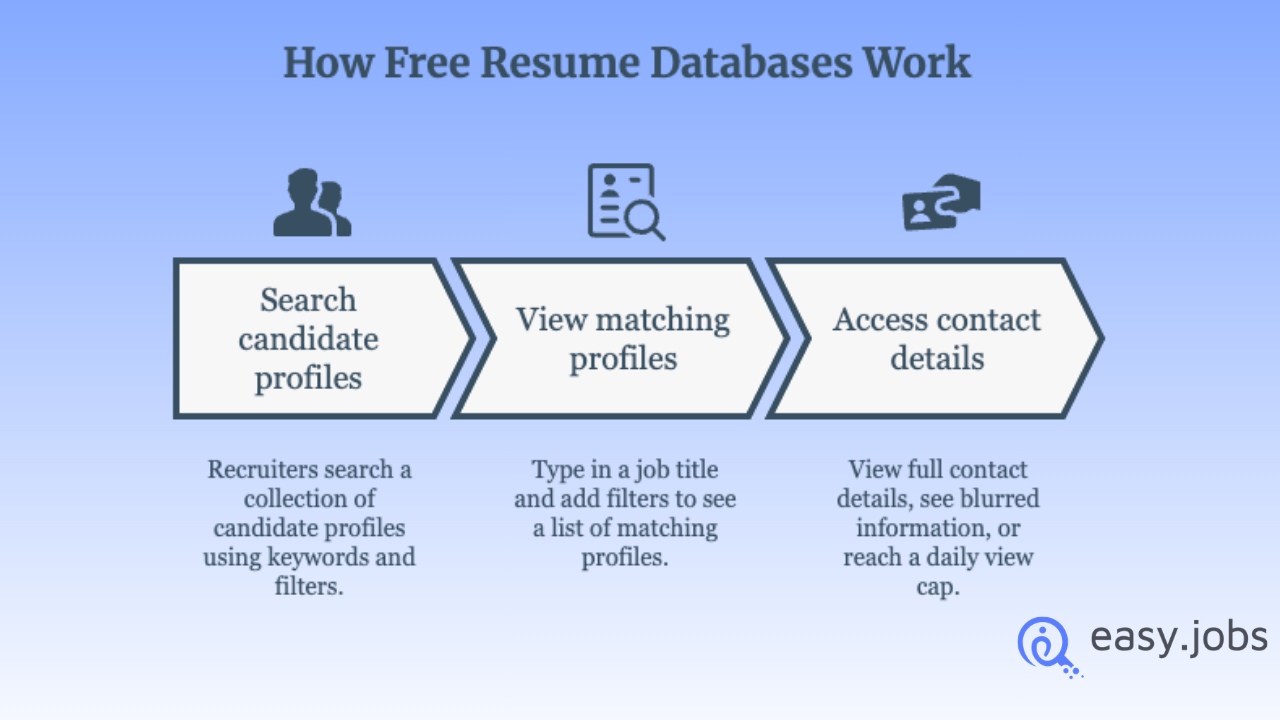
A resume database is a searchable collection of candidate profiles, filterable by job title, skills, location, education and experience, that job seekers have posted publicly or uploaded to a platform. Recruiters search it the same way they would search any database: keywords plus filters.
The free part is almost always the search itself. You can type in a job title, add filters and see a list of matching profiles. What varies wildly by platform is what happens next: some let you view full contact details immediately, some blur the name and email until you pay and some cap you at a small number of views per day. That is the distinction that actually matters when you are choosing where to spend your sourcing time: not resume count, not marketing claims, but where the free tier stops being useful.
Free Tier vs. Where Each Site Starts Charging
| Site | Free tier includes | Where it starts charging | Best for |
| Indeed | Full search, anonymized profiles, filters | Full contact details require a paid Indeed Resume plan | High-volume, general hiring |
| Search, public profile info, 5 InMails/month | LinkedIn Recruiter for advanced filters and bulk outreach | Passive and senior candidates | |
| Jobvertise | Search, alerts, contact info on many profiles | Views capped at 3/day on the free tier | Budget-conscious, low-urgency sourcing |
| PostJobFree | Full search, no account required for browsing | Account needed for saved searches/contact on some profiles | SMBs, quick candidate browsing |
| Wellfound | Full search, messaging, portfolio links | None for core search; it is free by design | Startup and tech hiring |
| GitHub | Full profile access, often includes email | None; fully public | Technical/developer roles |
| Behance | Full portfolio access | None; fully public | Creative and design roles |
| CV-Library | Search UK-specific CV database | Contact and advanced filters require a paid plan | UK-based hiring |
| HireItPeople | Niche tech resume search | Limited free views before a subscription is needed | IT/tech contractors |
| Craigslist | Browse resumes section, no registration | N/A; candidates self-post contact info | Local, quick-turnaround roles |
| Monster | Browse job-seeker resume builder profiles | Resume search itself now requires a paid Monster+ credits plan | Teams already on Monster+ |
| CareerBuilder | Same merged Monster+ backend, browsing available | Resume search requires the same paid credits plan | Teams already on Monster+ |
| Adzuna | Full search plus salary/market data | None for core search | Agencies wanting sourcing + salary data |
| JobSpider | Browse resumes, often no registration | Minimal; advanced filters are limited on any tier | Quick, low-effort browsing |
| ZipRecruiter | AI-matched candidate suggestions on paid plans | Resume database is a paid add-on; per-resume unlock fees apply | Teams already paying for ZipRecruiter postings |
Best Free Resume Databases for Recruiters

1. Indeed Resume Search
Indeed’s resume database is the largest general-purpose option available to recruiters, spanning dozens of countries and languages. The free tier lets you search and filter by title, location, experience and “last active” date, and view anonymized profiles. The catch: unlocking full contact information requires a paid Indeed Resume subscription, priced in tiers based on how many profiles you need to contact.
Best for: SMBs and agencies filling a broad range of roles where volume matters more than precision.
2. LinkedIn Recruiter (Free Tier)
LinkedIn is the largest professional network in the world, and its free tier is more useful than most recruiters assume. You can search by title, company and location, view public profile information and send a limited number of InMails per month. The #OpenToWork filter is a fast way to surface people actively looking without paying for LinkedIn Recruiter.
Best for: Passive candidates, executive searches and roles where a professional network signal matters.
3. Jobvertise
Jobvertise brands itself as one of the largest free job and resume databases, with new resumes added daily. Recruiters can search resumes and, on many profiles, see contact information without paying. One limitation to plan around: the free tier caps you at a small number of resume views per day, which makes it a slow option if you need to source quickly.
Best for: Recruiters with time but not budget: a few hours a week of sourcing rather than a single urgent search.
4. PostJobFree
True to its name, PostJobFree lets you search its resume database without a paid account. Filtering by location, job title and keyword is free, and browsing does not require registration for most searches.
Best for: Small businesses and startups sourcing on a tight budget.
5. Wellfound (formerly AngelList Talent)
Wellfound is built specifically for startup and tech hiring, and its core resume search stays free by design: no paywall on search or messaging candidates. You can browse profiles, review portfolio links, and reach out directly.
Best for: Early-stage startups and tech-focused teams.
6. GitHub
For technical roles, GitHub functions as a free, public resume database. Developer profiles often include contact information directly, and their code repositories double as a portfolio, arguably a better signal of actual skill than a resume.
Best for: Engineering and developer roles, where seeing real work matters more than a formatted CV.
7. Behance
Adobe’s Behance is the creative-industry equivalent of GitHub: a free, public portfolio platform for designers, illustrators and other creative professionals. No paywall, no subscription. Just public profiles you can search and browse directly.
Best for: Design, illustration and other visually-driven creative roles.
8. CV-Library
If you are hiring in the UK, CV-Library is one of the largest UK-specific CV databases available, with millions of CVs on file. Free-tier access typically covers search and browsing; full contact details and advanced filtering sit behind a paid plan.
Best for: UK-based recruiters and agencies who need a regional-specific pool rather than a global one.
9. HireItPeople
A niche resume database focused on IT and tech contractors. It is a smaller pool than Indeed or LinkedIn, but for specialized technical sourcing, it is a useful supplementary source with limited free views before a subscription is required.
Best for: IT staffing and contract technical roles.
10. Craigslist
Craigslist’s “resumes” section lets you browse candidate postings without mandatory registration, a feature most recruiters forget it has. Since candidates post their own contact information, there is no paywall to work around. The tradeoff is a much smaller, more regional pool.
Best for: Local hiring and quick-turnaround roles where a global database is overkill.
11. Monster
Monster and CareerBuilder have merged their hiring products. Resume search on Monster now largely requires a paid Monster+ plan billed on a credit system. The resume builder side remains free for job seekers, but recruiters looking to search resumes for free will find limited utility here compared to the platforms above.
Best for: Teams that already have a Monster+ subscription for other reasons, not a first stop for free sourcing.
12. CareerBuilder
CareerBuilder now runs on the same merged Monster+ backend, and its resume search carries the same credit-based paywall. Job postings and browsing are accessible, but meaningful resume search access requires the paid tier.
Best for: Teams already paying for Monster+ who want to search both databases from one account.
13. Adzuna
Adzuna is a job search engine that aggregates listings and candidate activity from across the web, giving recruiters a broad talent pool without a dedicated subscription. Its differentiator is built-in market intelligence: real-time salary data and hiring-trend insights alongside candidate sourcing.
Best for: Agencies that want sourcing and salary benchmarking in one free tool.
14. JobSpider
A straightforward, no-frills resume database that lets employers browse candidate profiles, often without requiring registration. It lacks the advanced filtering of larger platforms, but its free access makes it a reasonable Tier 2 source to layer on top of Indeed or LinkedIn.
Best for: Quick, low-effort candidate browsing across general roles.
15. ZipRecruiter
ZipRecruiter’s resume database holds tens of millions of resumes, but it is structured as a paid add-on with per-resume unlock fees on top of a subscription. There is no meaningful free tier for resume search specifically. Its value is in AI-matched candidate suggestions on paid job postings, not free browsing.
How to Search Resumes for Free Without Paying
Getting real mileage out of free resume databases usually comes down to search technique, not database size.
Where to Find Free Resumes Without Hitting a Paywall
The fastest way to find free resumes is to start where contact details are not gated. Jobvertise and PostJobFree let you view candidate details on many profiles without a subscription. GitHub, Behance, Wellfound and Craigslist go further, they are free by design, so nothing is held back for a paid tier. Indeed and LinkedIn give you the largest pools and the sharpest filters, but on a free plan treat them as shortlist-building tools rather than contact sources.
A practical order of operations: run your search on Indeed or LinkedIn first to learn what a strong profile looks like for the role, then take those same job titles and skill keywords to the fully free platforms where you can act on what you find immediately.
How to Resume Search Search to Find Top Candidate
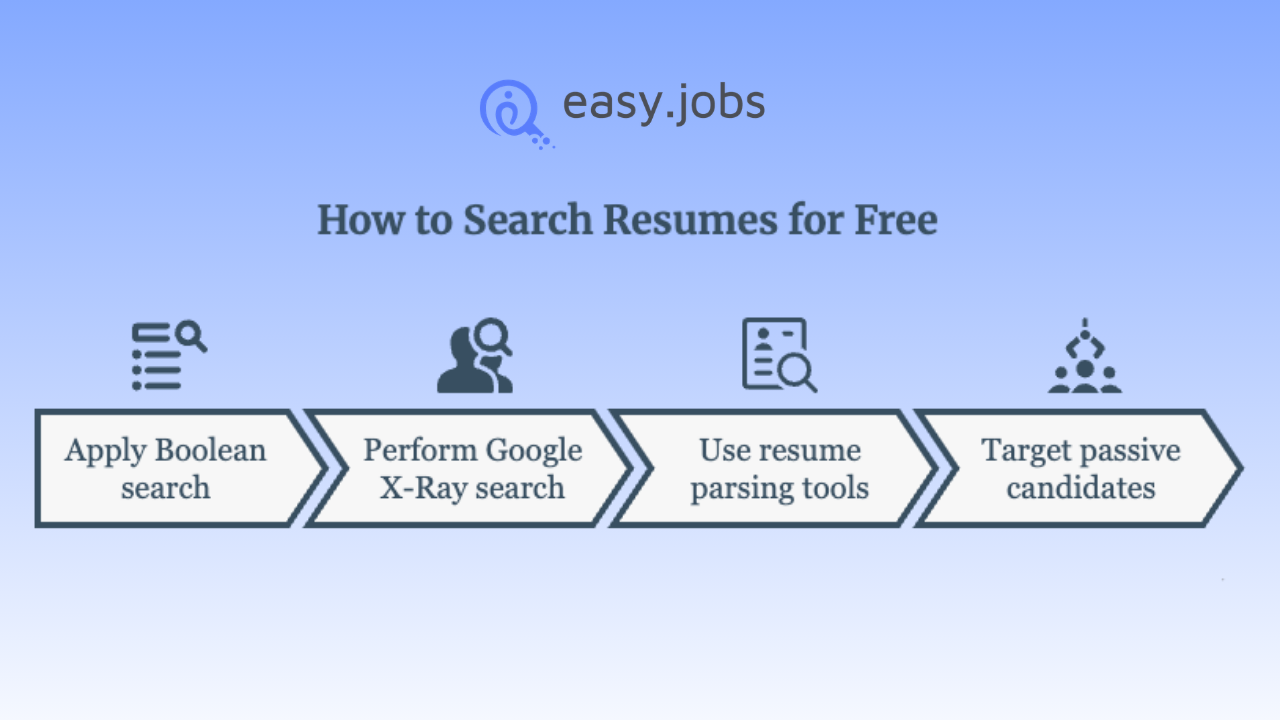
Boolean search. Most platforms, including LinkedIn’s free search, support Boolean operators. Combining terms with AND, OR and NOT narrows results fast: “software engineer” AND “Python” NOT “intern” filters out junior candidates in one search instead of scrolling past them.
Google X-Ray search. This technique searches a site’s public pages directly through Google instead of the platform’s own search bar, useful for surfacing LinkedIn, GitHub, or personal portfolio pages without needing a paid seat on any one platform. A basic X-ray search looks like this site:linkedin.com/in “product manager” “Austin”. Google returns public profiles matching those terms.
Resume parsing tools. Several free applicant tracking systems include basic resume parsing, which pulls structured data (skills, experience, contact info) out of resumes you have already sourced, so you are not manually re-reading every one.
Targeting passive candidates. Free databases are strongest at surfacing active job seekers: people who have recently updated a profile or uploaded a resume. Passive candidates, who make up the majority of strong hires, usually require LinkedIn’s free search or X-ray techniques rather than a resume database’s “recently active” filter.
Best for: Teams already paying for ZipRecruiter job postings who want database access layered on top, not a standalone free option.
What Are the Top Free Candidate Databases by Use Case?
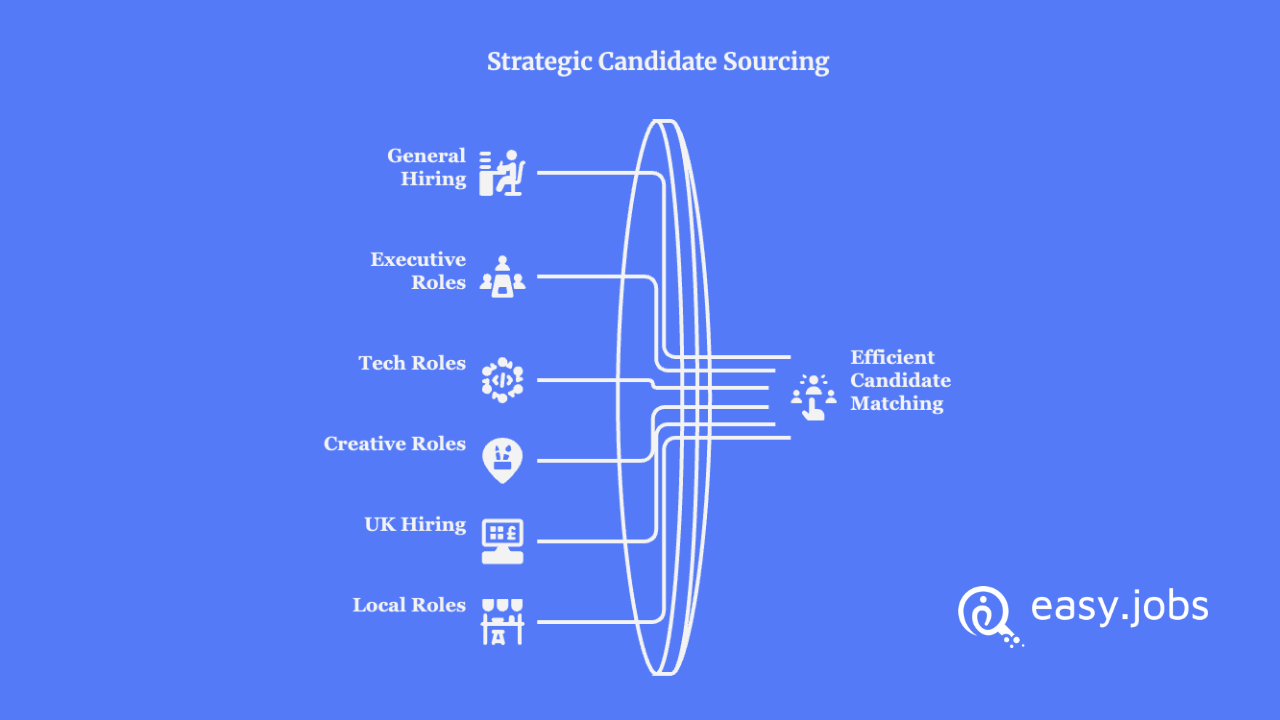
Matching platform to role type saves more time than searching everywhere at once:
- General/high-volume hiring: Indeed, PostJobFree, Jobvertise
- Executive and senior roles: LinkedIn
- Startup and tech roles: Wellfound, GitHub
- Creative roles: Behance
- UK-based hiring: CV-Library
- Local/quick-turnaround roles: Craigslist
- Specialized IT contractors: HireItPeople
- Sourcing plus salary benchmarking: Adzuna
Best Resume Search Engine for Employers: How to Pick Yours
Employers and recruiters often search for the same tool using different words. A “resume database” and a “resume search engine” describe the same core function: a searchable index of candidate profiles you can filter by skill, job title and location. The practical difference is scope. Search-engine-style tools like Indeed, Adzuna or a Google X-Ray query pull from a broad, aggregated pool across the web. A database like CV-Library or HireItPeople is a closed pool you search directly.
There is no single best resume search engine for employers, because the right answer depends on what you are filling. Indeed wins on raw volume and filter depth for general roles. Adzuna is the stronger free pick if you want salary benchmarking sitting next to candidate search. GitHub and Behance work as fully public search engines for technical and creative talent, with no paywall at any stage. For most employers, the honest answer is a stack of two or three, not one platform.
Free vs. Paid Resume Databases: What You Are Actually Trading Off
Free does not mean equivalent to paid. It means a different tradeoff.
What you give up on free tiers: contact information on some platforms, advanced filters (salary expectations, veteran status, diversity filters), bulk messaging tools and, on capped platforms like Jobvertise, search volume itself.
What you keep: the ability to source at all without a subscription, access to some of the largest resume pools in the industry (Indeed and LinkedIn alone cover most general hiring needs) and, on platforms like GitHub, Behance, Wellfound and Craigslist, no meaningful downside at all: they are free by design, not free with an upsell.
Use free databases for initial sourcing and shortlisting. Reserve paid tools for the specific moment you need bulk contact access or advanced filtering on a hard-to-fill role.
Frequently Asked Questions
Where can employers search resumes for free?
Indeed, LinkedIn, Jobvertise, PostJobFree, Wellfound, GitHub and Behance all let employers search resumes without paying. Contact information availability varies by platform. Jobvertise and PostJobFree offer the most direct free access, while Indeed and LinkedIn keep full contact details behind a paid tier.
How do you search resumes on Indeed?
Use Indeed’s resume search tool with filters for job title, location, years of experience and last-active date. Search and filtering are free; viewing full contact details requires an Indeed Resume subscription.
Can you search resumes on Indeed for free?
Yes. You can search and view anonymized candidate profiles for free. Unlocking full contact information requires a paid plan.
How do you search resumes on LinkedIn for free?
Use LinkedIn’s standard search bar with Boolean operators, or filter by the #OpenToWork status. A free account includes a limited number of InMails per month; anything beyond that requires LinkedIn Recruiter.
What is the best resume search engine for employers?
There is no universal winner. Indeed is the best free resume search engine for employers hiring across general roles, given its size and filtering. Adzuna is stronger if you want salary data alongside candidate search, while GitHub and Behance are better for technical and creative hires. Most employers get better results combining two or three sources rather than relying on one.
Pick Your Free Stack And Start Searching Top Candidate Resumes
Every recruiter reading this already had access to a free resume database before opening this guide. What was missing was the specific list of which platform to trust for which role and where each free tier quietly runs out.
Start with Indeed and LinkedIn for general and passive sourcing, add Jobvertise or PostJobFree for genuine free contact access and layer in GitHub, Behance, Adzuna or Wellfound depending on the roles you fill most often.
None of these platforms require a subscription to test. Open two or three tonight, run a real search against an open role and let the results, not the marketing page, decide which one earns a permanent spot in your sourcing stack.
If you have found this blog helpful, subscribe to our blog for more sourcing guides, platform breakdowns and recruiting tips delivered straight to your inbox. Join our Facebook Community for recruiters to swap sourcing strategies and ask platform-specific questions.