
- How To Find And Apply To Suggested Jobs On easy.jobs
- Step 1: Go To Suggested Jobs From Your Dashboard
- Step 2: Check Your Location And Experience Level
- Step 3: Set Your Country To See More Jobs
- Step 4: Add Skills To See How Well Each Job Matches
- Step 5: Review The Job Cards And Match Details
- Step 6: View The Job Or Apply Right Away
- Step 7: Update Your Preferences Or Browse New Jobs
Looking for a new role takes time, especially when you have to search through many listings that don’t fit you. With pekerjaan mudah, you can use the Suggested Jobs feature. It shows you open positions picked for you based on your profile, experience level and location, so you can find the right openings and apply in a few clicks.
Each suggested job also shows how well your profile matches what the employer is asking for. This way, you know where you stand before you apply.
How To Find And Apply To Suggested Jobs On easy.jobs #
Follow the step-by-step guide below to explore suggested jobs and apply to them from your easy.jobs candidate dashboard.
Step 1: Go To Suggested Jobs From Your Dashboard #
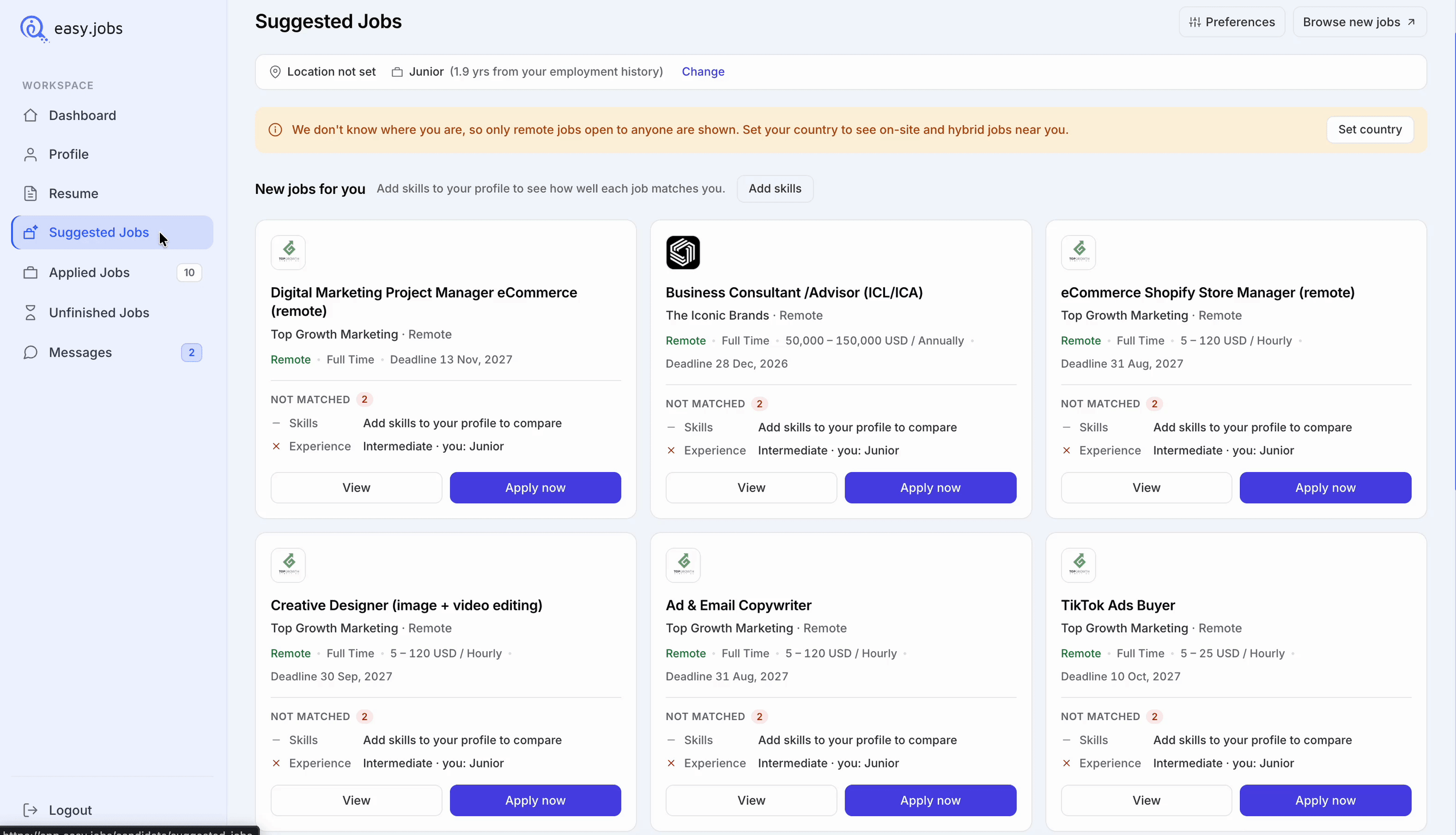
First, log in to your easy.jobs candidate account. From the left sidebar of your dashboard, click on ‘Suggested Jobs’ di bawah Workspace bagian.

Step 2: Check Your Location And Experience Level #
At the top of the Suggested Jobs page, you will see the details easy.jobs uses to suggest jobs to you:
- Lokasi: The country you have set for your profile. If you haven’t set one, it shows ‘Location not set’.
- Experience level: Your level, such as Muda, which easy.jobs works out from the employment history on your profile (for example, 1.9 yrs from your employment history).
If any of these details are not right, click on 'Mengubah' to update them.
Step 3: Set Your Country To See More Jobs #
If your location is not set, you will see a notice saying that only remote jobs open to anyone are shown. To also see on-site and hybrid jobs near you, click on the ‘Set country’ button and choose your country.
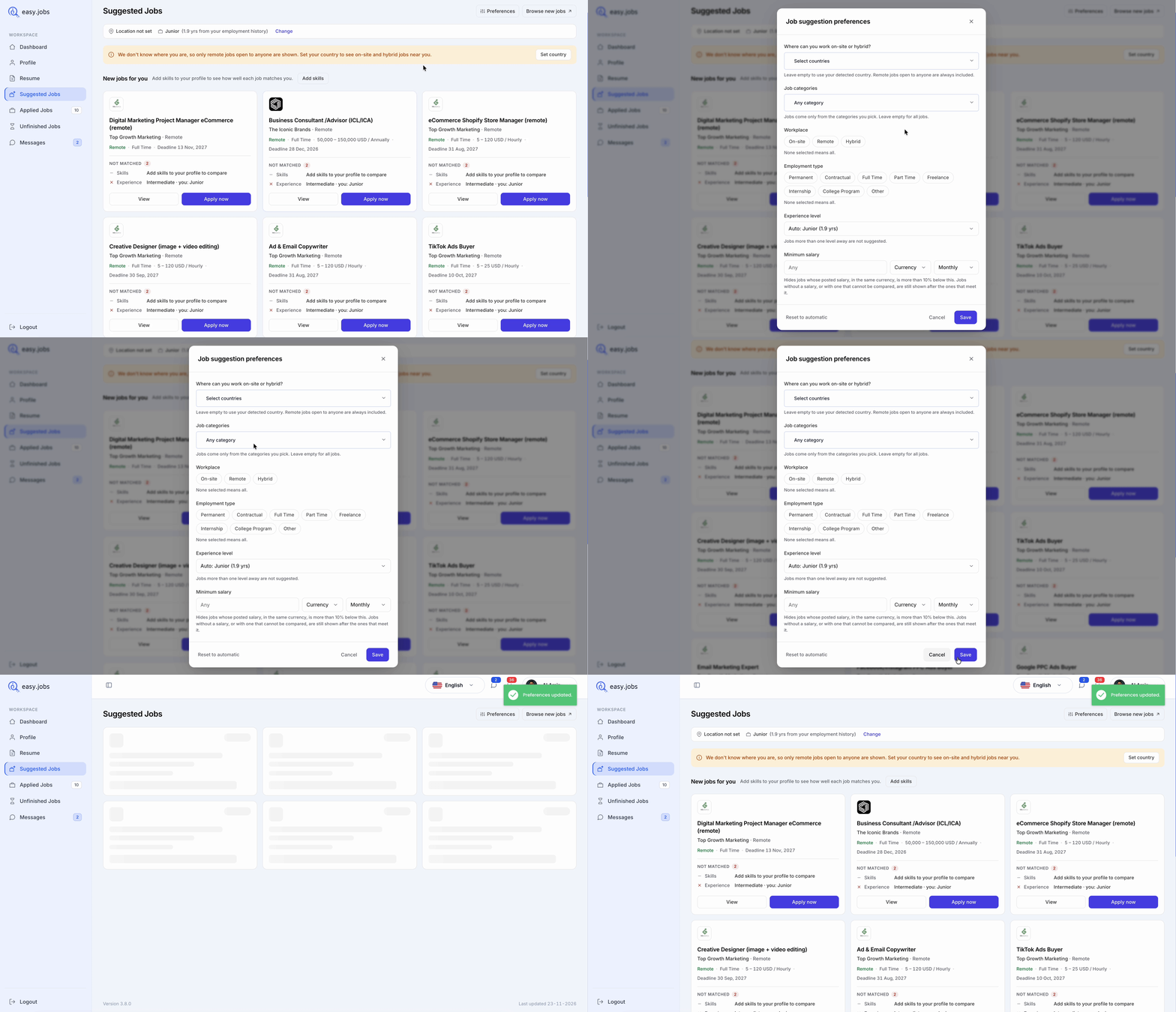
Catatan: Without a country on your profile, Suggested Jobs only shows remote jobs that are open to candidates from any location.
Step 4: Add Skills To See How Well Each Job Matches #
Under ‘New jobs for you’, you will find a list of job cards. To see how closely each job matches your profile, click on the ‘Add skills’ button and add your skills to your profile. Once your skills are added, easy.jobs compares them with the skills each job asks for.
Step 5: Review The Job Cards And Match Details #
Each job card shows the key details of the position at a glance:
- Job title and company name
- Work type, such as Remote, and employment type, such as Full Time
- Salary range, if the employer has shared it (for example, 5 – 120 USD / Hourly or 50,000 – 150,000 USD / Annually)
- Application deadline
Below the job details, you will see the match summary. The ‘NOT MATCHED’ count shows how many requirements don’t match your profile yet. It checks:
- Skills: How your skills compare with the job’s required skills. If you haven’t added skills yet, it shows ‘Add skills to your profile to compare’.
- Experience: The experience level the job asks for compared with yours (for example, Intermediate · you: Junior).
Step 6: View The Job Or Apply Right Away #
When you find a job that interests you, you have two options:
- Klik ‘View’ to open the full job post and read the job description, responsibilities and requirements.
- Klik ‘Apply now’ to start your application right away.
After you submit an application, you can track it from the ‘Applied Jobs’ section of your dashboard. If you leave an application without finishing it, you can find it under ‘Unfinished Jobs’.
Step 7: Update Your Preferences Or Browse New Jobs #
From the top-right corner of the page, you can also:
- Klik ‘Preferences’ to fine-tune the type of jobs you want to be suggested.
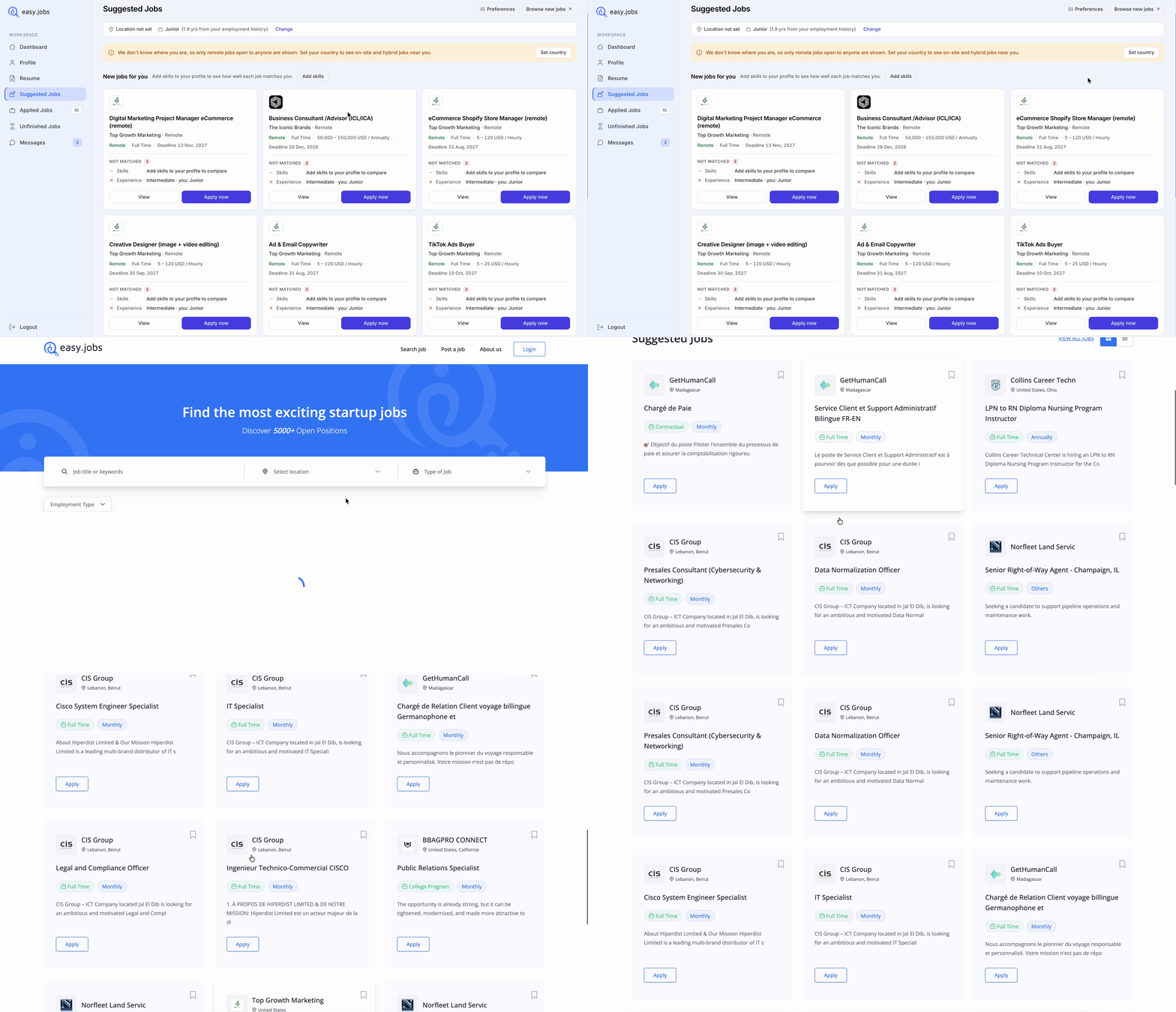
- Klik ‘Browse new jobs’ to explore all the open positions on easy.jobs beyond your suggestions.
Tip: Keep your profile, skills and employment history up to date. The more complete your profile is, the more accurate your job suggestions and match results will be.
That’s how easily you can find and apply to jobs that suit you with the Suggested Jobs feature on pekerjaan mudah.
Terjebak? Merasa bebas untuk hubungi tim dukungan khusus kami untuk bantuan selanjutnya.