Work does not happen in one room anymore. Most teams are remote, hybrid or spread across time zones, and the thread that holds them together is the same one that holds hiring, onboarding and daily operations together: communication. The right team communication tools let people chat, meet, share files and stay aligned without anyone having to be in the same building or the same country.
The catch is that no single app fits every team. A five-person startup needs something different from a 500-person company running structured, high-volume hiring. So we have refreshed this guide for 2026. Cutting tools that have shut down, updating what has changed and walking through the eight team communication apps and platforms that actually earn their place this year.

TL;DR: Top Team Communication Tools & Hiring Integration
The best team communication tools for 2026 are Slack and Microsoft Teams for everyday messaging, Zoom, Google Meet, GoTo Meeting and Webex for video meetings, Google Chat for built-in Workspace messaging and ProofHub for chat tied to projects.
Most teams do best with a small stack: one messaging app plus one meeting tool. Chosen based on how they actually work and what they already pay for. And because good collaboration starts at hiring, connecting your recruitment workflow (like easy.jobs) to your communication stack pays off from a new hire’s first day.
Key Takeaways
- Poor communication is expensive. The 2025 State of Internal Communication report puts the cost of poor workplace communication at $3,640 to $37,440 per employee every year, depending on salary.
- Match the tool to the team. Slack and Microsoft Teams lead for everyday messaging; Zoom, Google Meet, GoTo Meeting and Webex lead for meetings; ProofHub ties communication to projects.
- Communication starts at hiring. Strong collaboration habits begin the day someone is hired, so connecting your recruitment workflow to your communication stack pays off early.
Why Does Team Communication Matter So Much In 2026?
Because most of the workforce is now remote or hybrid and miscommunication has a price tag. In 2026, remote-capable work reached roughly half the global workforce, and the cost of poor communication runs as high as $37,440 per employee per year. On the other side of that coin, 70% of managers say remote and hybrid work makes their teams more productive, and Gallup’s 2025 data found a 40% jump in employee focus when teams use collaboration tools with real-time feedback.
So the question is not whether you need team communication tools. It is which ones close the gaps for your team? Real-time messaging keeps daily work moving, video meetings handle the conversations that need faces and tone and project-based tools keep decisions attached to the work they affect. Most teams end up using two or three together.
What Are the Best Team Communication Tools You Should Use In 2026?
The eight below cover the full range, messaging-first platforms, meeting-first software and project-based collaboration. Each entry covers what it is best at, the features that matter in 2026 and who it suits, so you can build the right stack instead of chasing the longest feature list. Let us have a look at that:
1. Google Meet — Best Cloud-Based Video Tool For Workspace Teams

Google Meet is the built-in video tool for Google Workspace and it is a clean, browser-first option that needs no downloads. Start a call from Gmail or Google Calendar, share your screen and turn on live captions with a click. It runs smoothly on desktop, Android and iOS.
Meet now leans on Google’s Gemini AI to take notes and summarize calls for Workspace subscribers. Anyone with a Google account can host free calls with sensible limits, while paid Workspace plans unlock longer meetings, larger rooms and recording. It is the easiest meeting tool to adopt if your team already uses Gmail and Google Docs.
Best for: Google Workspace teams that want frictionless, browser-based video.
2. Zoom — Best For Reliable Video Meetings

Zoom still sets the bar for meeting quality and reliability as one of the popular team communication tools and it has grown well past video calls into a full communication suite with Team Chat, phone and webinars. For client calls, all-hands meetings and interviews, it just works. Even on shaky connections.
The standout in 2026 is Zoom AI Companion: it produces structured meeting summaries with action items, drafts follow-up emails and now sits right in the chat pane. The free plan caps group meetings at 40 minutes, so growing teams usually move to a paid tier for longer sessions and the AI features.
Best for: Teams that run frequent video meetings, client calls or remote interviews.
3. Slack – Best Business Communication Platform

Slack, owned by Salesforce, is still the benchmark for everyday team communication tool. It organizes conversations into channels by project, team or topic, so context does not get lost in one endless feed. Threads keep replies tidy, search pulls up old files and decisions in seconds and its 2,600-plus integrations connect almost any other app you use.
In 2026, Slack’s AI layer summarizes long channels and recaps threads you missed, which makes async work across time zones far less painful. There is a capable free plan; paid plans add unlimited message history and more. For fast-moving product, software and startup teams, it is hard to beat as a cloud based team communication platform.
Best for: Async-heavy startups, software teams and any team that lives in text chat.
4. Microsoft Team – Microsoft 365 Team Communication Tool

Microsoft Teams is the natural choice if your company already runs on Microsoft 365. It folds chat, channels, meetings, calling and file collaboration into one place, with Word, Excel, PowerPoint, Loop and OneNote built right in. You can meet, message, co-edit a document and store it without leaving the app.
Teams also absorbed Skype’s consumer audience after Microsoft retired Skype in May 2025, so one-on-one and group calling now live here too. Enterprise-grade security and admin controls make it a safe pick for larger, regulated organizations. The free tier covers small teams; paid plans come bundled with Microsoft 365.
Best for: Companies standardized on Microsoft 365 and larger organizations that need tight admin control.
5. ProofHub: Project Management & Team Collaboration Software
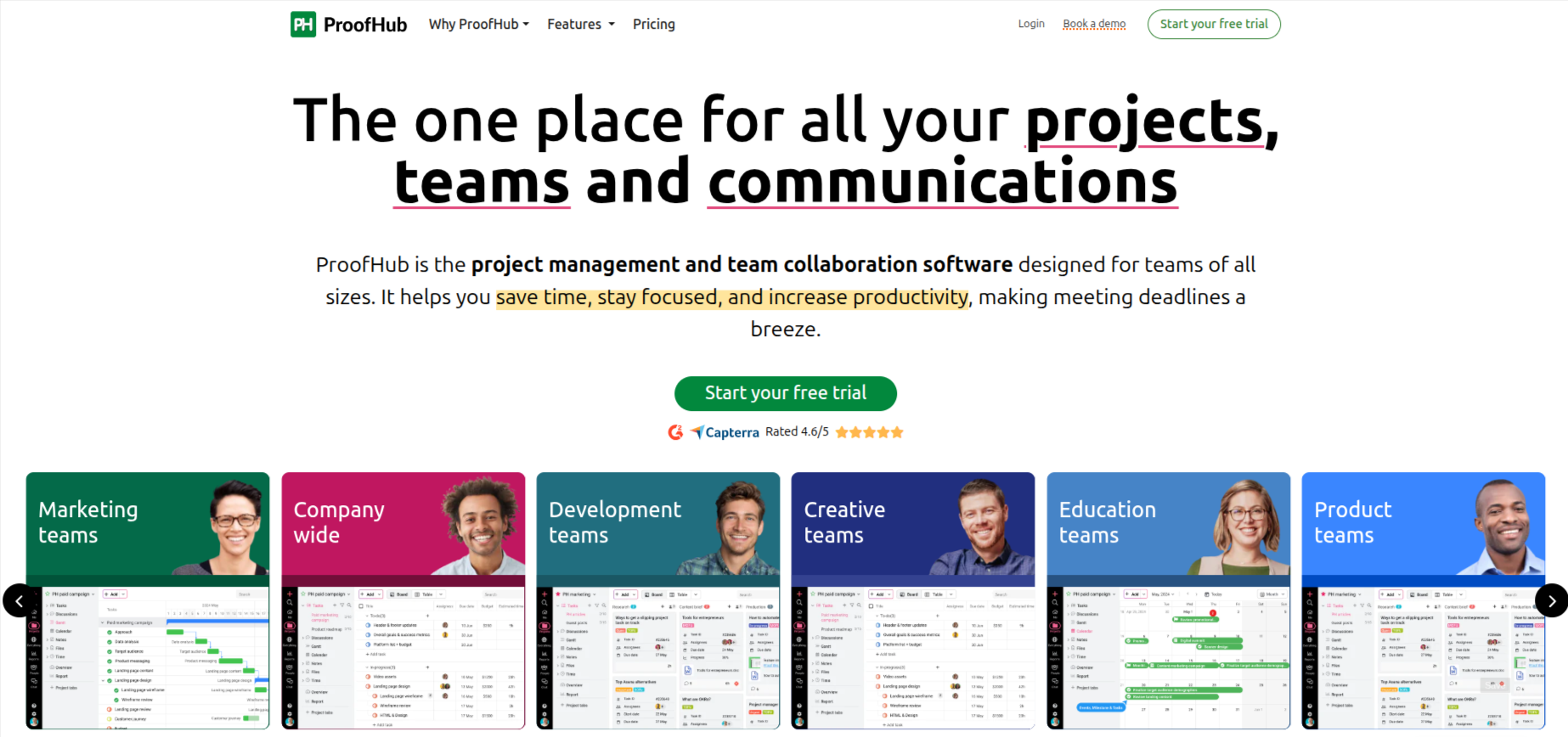
ProofHub is a project management and team collaboration software designed for teams of all sizes. The platform helps its users save time, stay focused, and increase productivity by bringing all their work and scattered communication into one centralized place.
With built-in one-on-one and group chat, dedicated discussion threads for every project, and real-time updates through @mentions and notifications, teams can communicate in context without losing important conversations in email threads or scattered chat apps. It is especially useful for remote and hybrid teams working across time zones, where async communication is as important as real-time messaging.
Best for: Remote and hybrid teams that want chat tied directly to projects and tasks.
6. Google Chat — Best Built-In Messaging For Google Workspace

Google Chat is Google’s answer to Slack and Teams, and it is included in every Workspace plan at no extra cost. It offers direct messages, group spaces and threaded conversations that connect tightly to Gmail, Drive, Docs and Google Meet — so you can jump from a message to a document to a call without switching apps.
It is lighter than Slack on integrations, but for teams already paying for Workspace, it is a genuinely good team communication app you may already own. Shared spaces and inline Drive access make it a strong fit for document-heavy collaboration.
Best for: Workspace teams that want messaging without paying for a separate app.
7. GoToMeeting – Web Conferencing & Online Meeting Software

GoTo Meeting is a fast, reliable, no-frills option for online meetings. You get HD video, screen sharing, cross-device support and cloud recording, plus a smart meeting assistant that transcribes calls, marks highlights and pulls out action items automatically.
There is no permanent free plan, but a 14-day free trial needs no credit card, and paid plans start around $12 per organizer per month (billed yearly) for the Professional tier, which supports up to 150 participants. It is a clean pick for teams that want dependable meetings without a sprawling feature set.
Best for: Small and midsize teams that want simple, reliable web conferencing.
8. Webex Meetings – Team Communication, Cloud Calling & More

Webex by Cisco is built for organizations that put security and scale first. It combines video meetings, messaging, cloud calling, polls and webinars in one platform, with the enterprise-grade encryption and compliance controls Cisco is known for.
Its AI Assistant handles real-time translation, noise removal and meeting summaries — useful for global teams spanning languages and time zones. There is a free plan for smaller groups, while paid tiers open up larger meetings and advanced admin features. For regulated industries and large distributed teams, it is a dependable team communication platform.
Best for: Enterprises, global teams and regulated industries that need top-tier security.
How Do These Team Communication Platforms Compare At a Glance?
Use this quick comparison to shortlist before you trial anything:
| Tool | Type | Best For | Free Plan |
|---|---|---|---|
| Google Meet | Video meetings | Google Workspace teams | Yes |
| Zoom | Video meetings | Frequent calls & interviews | Yes (40-min cap) |
| Slack | Messaging | Async startups & software teams | Yes |
| Microsoft Teams | All-in-one | Microsoft 365 organizations | Yes |
| ProofHub | PM + chat | Project-based remote teams | Trial only |
| Google Chat | Messaging | Workspace teams (built-in) | With Workspace |
| GoTo Meeting | Web conferencing | Simple, reliable meetings | 14-day trial |
| Webex | All-in-one | Enterprise & regulated teams | Yes |
How Do You Choose the Right Team Communication App For Your Team?
Start with how your team actually works, not with the feature list. Three questions get you most of the way there:
- What is your daily rhythm?
Mostly text and async updates? Lead with Slack, Teams or Google Chat. Meeting-heavy? Build around Zoom, Google Meet, GoTo Meeting or Webex. - What do you already pay for?
If you are on Microsoft 365 or Google Workspace, Teams or Google Chat and Meet may already be included; do not pay twice. - How important is project context?
If conversations keep getting detached from the work, a tool like ProofHub that ties chat to tasks will save you more than another chat app.
Most teams settle on a small stack, usually one messaging app and one meeting tool. Rather than a single do-everything platform. Trial your shortlist with a real project for a week before you commit; the right fit becomes obvious fast.
Where Does Communication Start? At the Hiring Stage
Here is the part most tool round-ups miss: strong team communication does not begin on day one of a new hire’s job. It begins during recruitment. The way you communicate with candidates, schedule interviews and onboard new team members sets the tone for how they will collaborate later.
Build communication into hiring with easy.jobs
Before your new hires ever open Slack or Teams, easy.jobs helps you communicate with candidates clearly through the whole hiring journey, collaborative pipelines, interview scheduling and automated candidate messaging in one AI-powered recruitment platform. Get great people in the door, then let your communication tools take it from there.
Frequently Asked Questions (FAQ’s) About Team Communication Tools
What are the best team communication tools in 2026?
The best team communication tools in 2026 are Slack and Microsoft Teams for messaging, Zoom, Google Meet, GoTo Meeting and Webex for video meetings, Google Chat for built-in Workspace messaging and ProofHub for project-based collaboration. The right pick depends on your team’s size, daily rhythm and whether you already pay for Microsoft 365 or Google Workspace.
What is the best team communication app for small teams?
For most small teams, Slack is the best team communication tool app thanks to its free plan, simple channel structure and 2,600-plus integrations. If you already use Google Workspace, Google Chat is a strong, no-extra-cost alternative, and Microsoft 365 users get the same value from Teams. Trial two or three team communication apps on real work before you commit.
What are the best team communication tools for remote teams?
Yes, Slack is a popular team communication software built around channels, threads and search. It is the strongest overall choice for async, text-heavy teams, but “best” depends on context: Microsoft Teams wins for Microsoft 365 organizations, and Google Chat wins for Workspace teams that want messaging without paying for a separate app.
What is a cloud-based team communication platform?
A cloud-based team communication platform runs entirely online, so your team can chat, meet and share files from any device without installing servers or hardware. Slack, Microsoft Teams, Zoom and Webex are all cloud-based, which is what makes them practical for remote and hybrid teams spread across locations.
How can you improve team communication on a remote team?
To improve team communication on a remote team, standardize where each type of conversation happens. Quick updates in chat, decisions in threads, complex topics on video and keep that context attached to the work itself. Pairing virtual team communication tools like Slack or ProofHub with a clear channel structure cuts the miscommunication that costs companies up to $37,440 per employee a year. Strong habits also start at hiring, so onboard new team members into your tools from day one.
Now It’s Your Turn To Explore!
You can now see the top team communication tools you should be using in 2026. Now pick the best one and advance your team collaboration.
If you want to read more exciting tutorials, tips and tricks, and hacks, subscribe to our blog, and don’t forget to join our popular Facebook community to get attached to all WordPress experts.